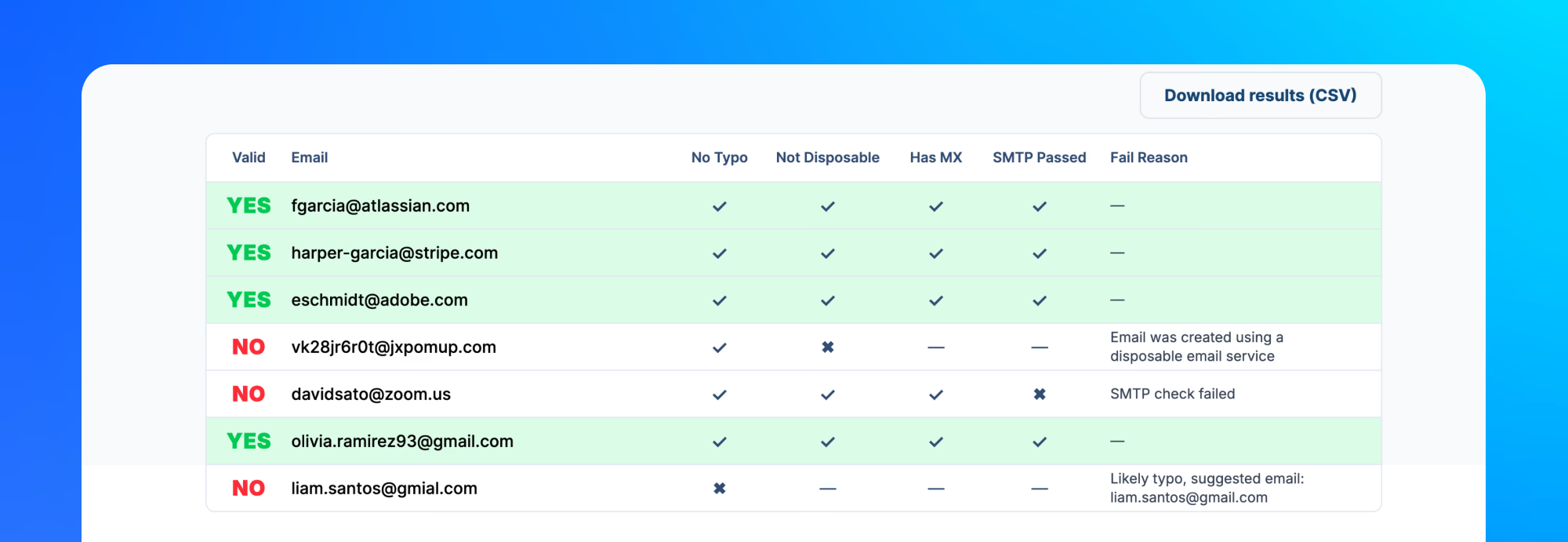
Invalid emails are easy to ignore until they start costing you. They increase bounce rates, make campaign reports less reliable, and can damage sender reputation over time.
This is when email validators help you.
We looked at popular email validators and compiled this overview of the best free email verification tools in 2026. We included useful notes and what each one is good for.
Overview of the best free email validators
- Sidemail - best for quick no-login email checks, CSV validation, and simple email list cleaning.
- ZeroBounce - best for teams that want email verification plus deliverability tools.
- Hunter - best for sales teams, founders, and marketers who verify emails as part of prospecting.
- Bouncer - best for marketers and sales teams that want clear risk labels.
- Emailable - best for marketers and developers who want detailed verification data.
- Clearout - best for teams validating leads across forms, spreadsheets, CRMs, and bulk files.
Comparison table
The best free email verification tool depends on your use case. Sidemail is best for quick no-login checks and simple CSV validation, while tools like ZeroBounce, Hunter, Bouncer, Emailable, and Clearout can suit you better if you want account-based credits or larger workflows.
| Feature | Sidemail | ZeroBounce | Hunter | Bouncer | Emailable | Clearout |
|---|---|---|---|---|---|---|
| Best reason to choose it | Easiest place to start without signup | Mature platform with deliverability tools | Combines email finding and verification | Clear risk labels | Detailed checks for teams and developers | Good mix of bulk validation and integrations |
| No signup | ||||||
| Single email validation | ||||||
| Bulk validation | ||||||
| List cleaning | Basic filtering | Segment/export results | ||||
| Syntax check | ||||||
| MX records check | Mail server checks | |||||
| Disposable domains check | ||||||
| Typos check | ||||||
| SMTP check |
1. Sidemail
Best for: quick no-login email checks, CSV validation, and simple email list cleaning.
Sidemail is the best option when you want to validate emails without creating an account first. It's not trying to be the biggest enterprise platform. Its strength is speed and simplicity. It has 3 dedicated tools:
Free email validator - to check one email address. Paste the address, run the check, and see whether it passes syntax, domain/DNS, MX records, disposable detection, typo detection, and optional SMTP deep check. The SMTP check performs a server handshake without sending an email.
Email list validation - use this when you have a CSV and want to keep every row. Sidemail validates the list and exports your original file with a new status column, so you can review the results yourself.
Email list cleaner - use this when you want a cleaned CSV. It runs similar checks, removes invalid or risky addresses, and gives you a cleaned file.
Overview
- What it checks: syntax, domain/DNS, MX records, disposable domains, common typos, fail reasons, and optional SMTP handshake.
- Bulk validation support: yes, through CSV-based validation and cleaning.
- Options for free validation: free online validations, no login required.
👍 Pros
- No login needed.
- Has 3 dedicated tools - simple one-address validation, bulk CSV validation, and list cleaning.
- Lets you either keep all rows with statuses or download a cleaned list.
- Deep check with SMTP handshake available.
- Great if you also need to manage and deliver your product emails.
👎 Cons
- For advanced verification workflows with deep CRM integrations or large account-based pipelines, you may still want a dedicated enterprise-style verifier.
Note: Sidemail is a full email provider, not just an email validator. It is an all-in-one email platform with tools for sending, designing, automating, and analyzing product emails. If you are also looking for reliable email delivery, you can learn more at sidemail.io.
2. ZeroBounce
Best for: teams that want email verification plus deliverability tools.
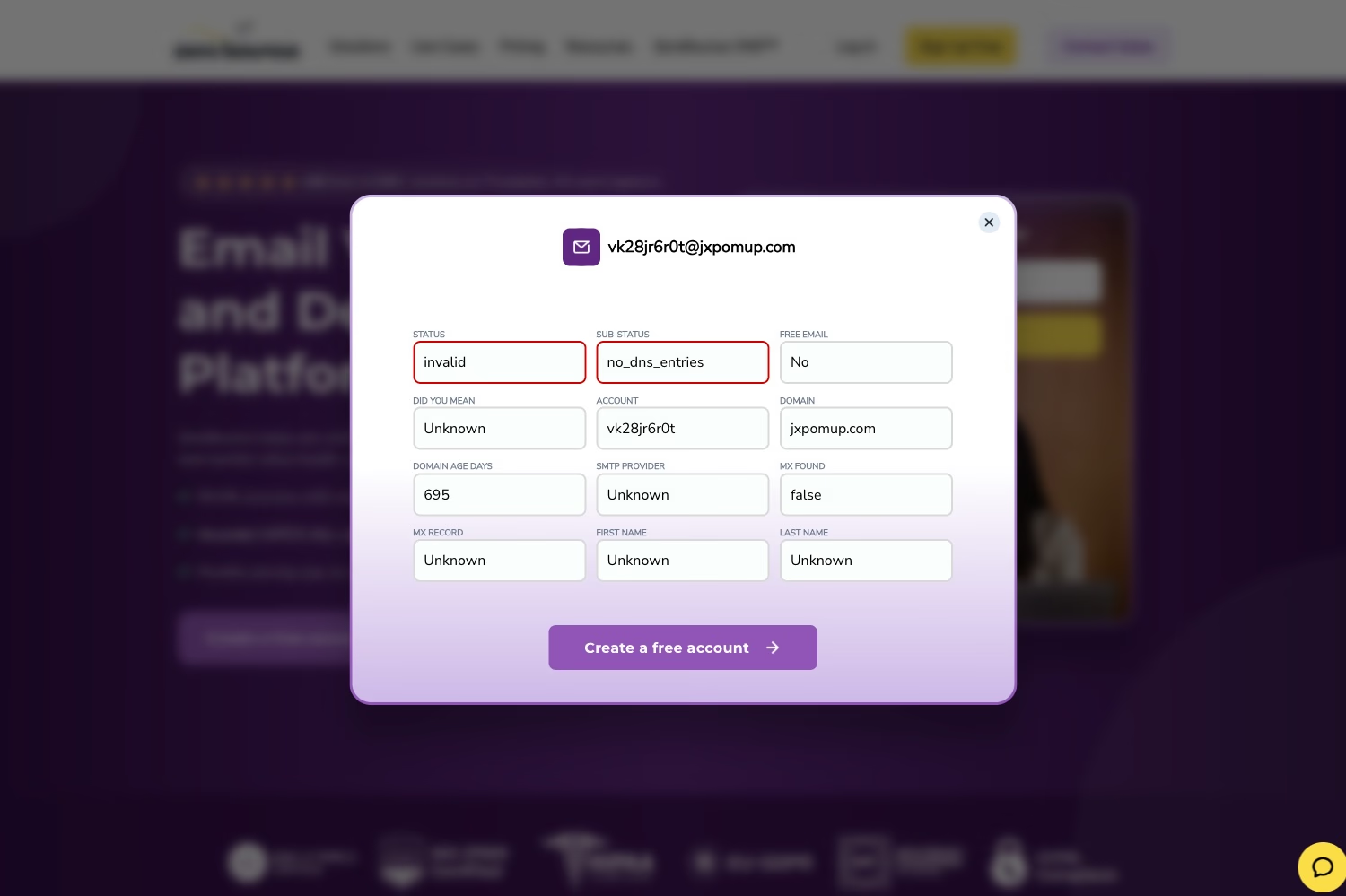
ZeroBounce is one of the best-known email verification tools in this category. It makes sense when email verification is only one part of your deliverability work, because the platform also includes email scoring, inbox tools, real-time API checks, and monitoring.
Similar to Sidemail and other tools on this list, you can use ZeroBounce for one-off checks, uploaded lists, or API-based validation. It can also provide more context around risky emails, such as disposable domains, inactive addresses, spam traps, abuse emails, catch-all results, and possible typos.
Overview
- What it checks: invalid emails, disposable and inactive addresses, spam-trap and abuse signals, catch-all addresses, possible typos, MX records, SMTP-related signals, and other deliverability statuses.
- Bulk validation support: yes, with list uploads and API validation.
- Options for free validation: free monthly validation credits are available after signup. Good for testing the workflow before you run a larger list.
👍 Pros
- Good status detail for list-cleaning decisions.
- Useful if you expect to move from free testing into paid volume.
👎 Cons
- Requires an account for free credits.
- More complex if you need only one or a few quick checks.
3. Hunter
Best for: sales teams, and marketers who verify emails as part of prospecting.
Hunter is strongest when email verification is part of a sales workflow. If you already use Hunter to find leads, it is convenient to verify those emails in the same place before adding them to outreach.
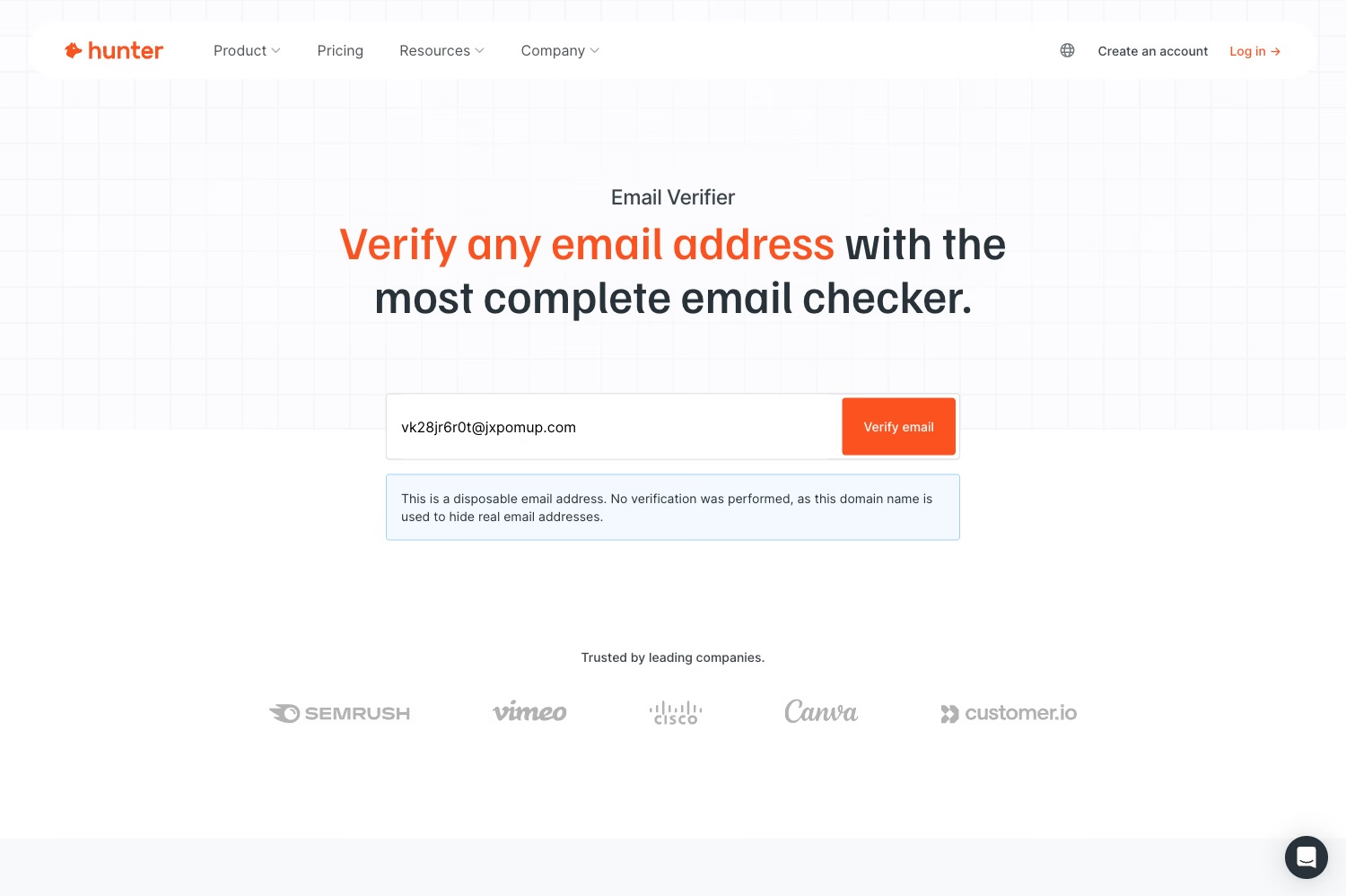
Hunter has a single Email Verifier, a Bulk Email Verifier, and an Email Verifier API. For bulk checks, you can copy and paste emails or upload a CSV/TXT file. Results can include format checks, server response, disposable status, MX and SMTP signals, accept-all status, and a confidence score.
One small thing to watch is that the free allowance can vary depending on whether you are using single verification or bulk verification. So I reccomend treating it as a limited free plan and checking the current credit count before uploading a list.
Overview
- What it checks: email format, existence signals, server response, disposable status, MX and SMTP signals, accept-all status, and confidence score.
- Bulk validation support: yes, with copy-paste, CSV, and TXT options.
- Options for free validation: limited credits are available after signup.
👍 Pros
- Fits naturally into outbound sales workflows.
- Good if you also need email discovery.
👎 Cons
- Requires signup for meaningful free usage.
- Free credits are limited.
4. Bouncer
Best for: marketers and sales teams that want clear risk labels.
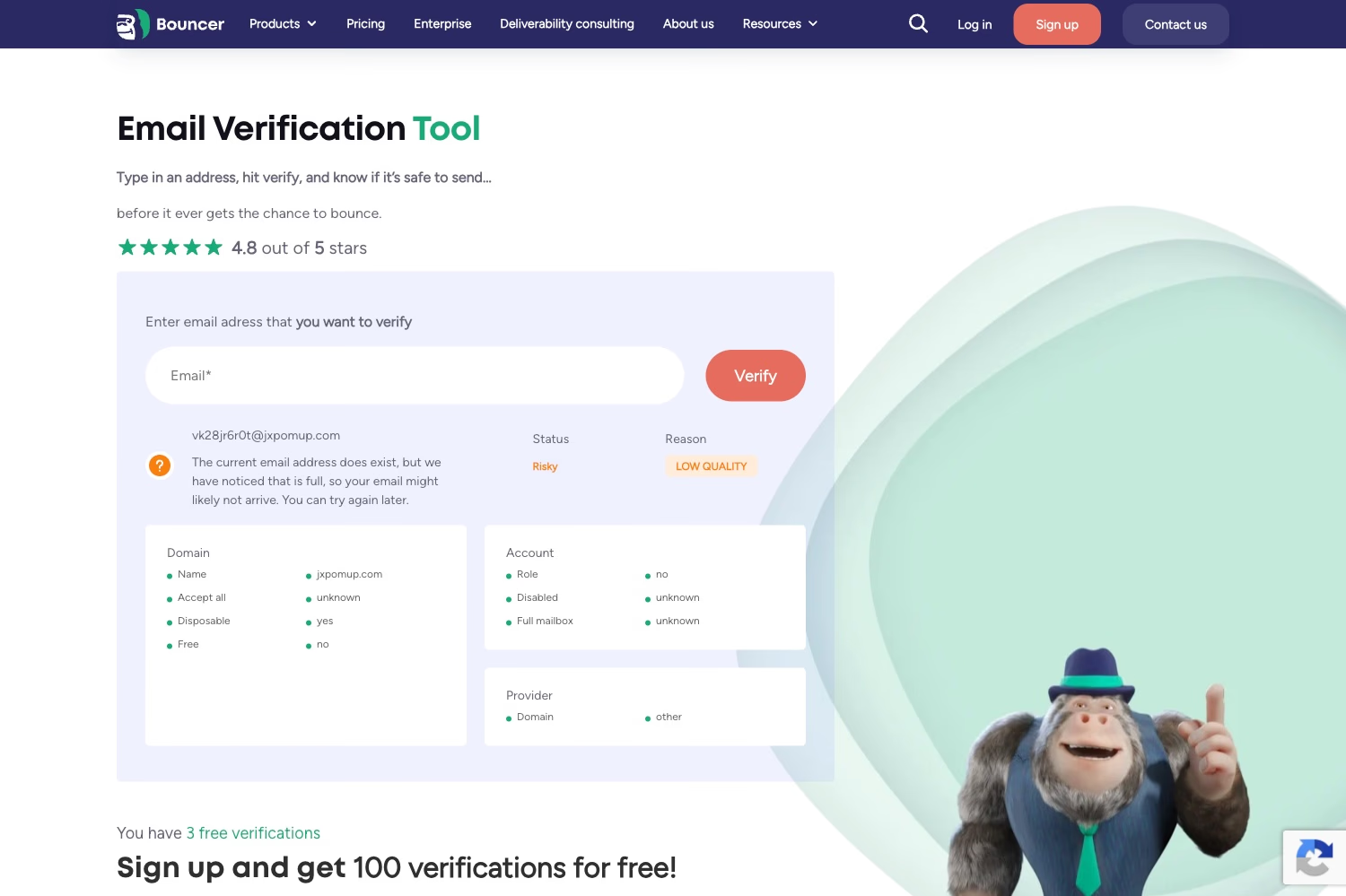
Bouncer provides similar email verification capabilities as other tools in this list and maps the results to a simplified decision: deliverable, risky, undeliverable, or unknown. You can test single addresses for free, and starter credits are available after signup if you want to try list verification.
Bouncer is useful when you want help with the grey areas. It gives extra context for emails that may be technically reachable but still risky, such as catch-all domains, role addresses, disposable providers, or full mailboxes.
Overview
- What it checks: syntax, domain and MX records, SMTP handshake, catch-all behavior, disposable status, role addresses, provider, and full-mailbox signals.
- Bulk validation support: yes, with list verification and integrations.
- Options for free validation: single checks are available for free, and starter credits are available after signup.
👍 Pros
- Simplified statuses and risk categories.
- Useful for deciding what to remove, segment, or keep.
👎 Cons
- Bulk validations require signup.
- Free access is mainly for testing.
- Online validator feels sluggish and results are hard to scan.
5. Emailable
Best for: marketers and developers who want detailed verification data.
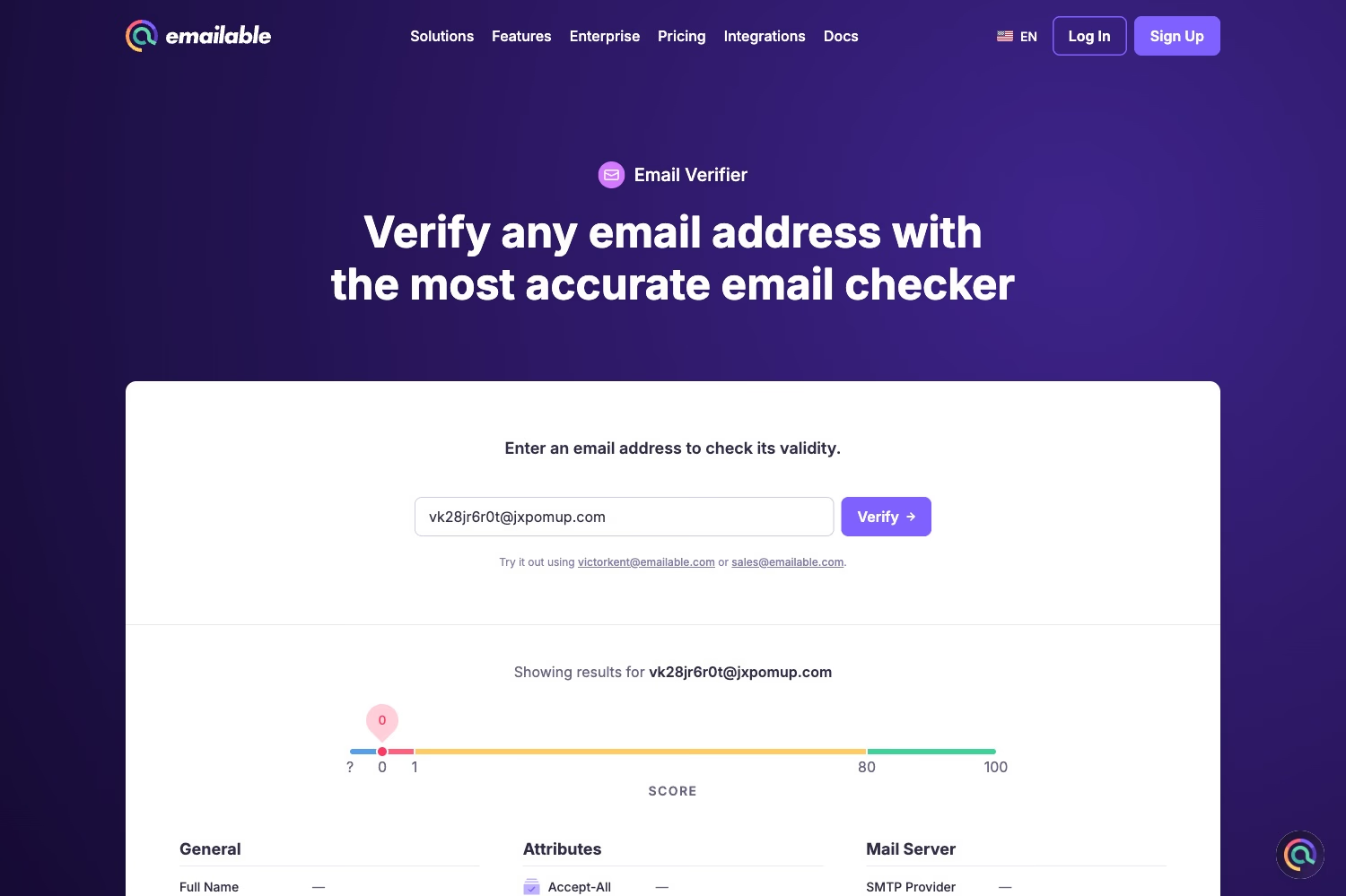
Emailable is a good fit when you want detailedvalidation data you can then use for segmentation, product logic, or list cleanup. It supports bulk verification, single verification, API checks, and widgets, so it can work for both marketers and developers.
When validating email addresses, you can see checks for SMTP, syntax, domain, MX records, disposable addresses, misspelled domains, accept-all domains, role addresses, full mailboxes, no-reply emails, secure email gateways, and overall quality score.
Overview
- What it checks: SMTP, syntax, domain, MX records, disposable status, misspelled domains, accept-all status, free providers, role addresses, full mailboxes, no-reply emails, secure email gateways, and quality score.
- Bulk validation support: yes, with bulk upload, API, and widget workflows.
- Options for free validation: free starter credits are available after signup, suitable for testing the tool on a small sample.
👍 Pros
- Detailed validation and enrichment signals.
- Good fit for both marketing and product teams.
👎 Cons
- Requires signup for credits.
- Not the fastest option for a quick manual check.
6. Clearout
Best for: teams validating leads across forms, spreadsheets, CRMs, and bulk files.
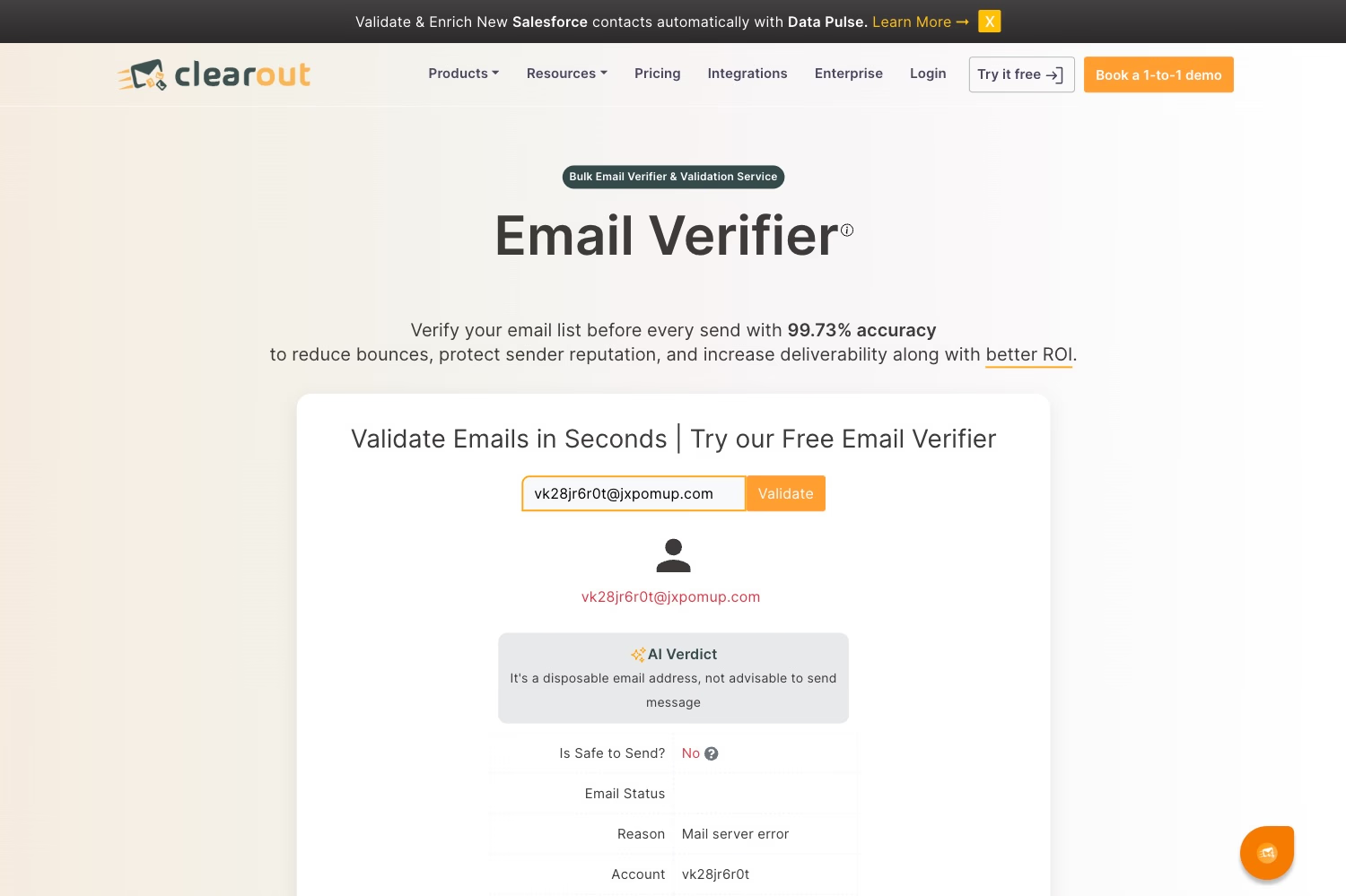
Clearout is useful when bad emails enter your system from several places: forms, spreadsheets, CRMs, imports, or prospecting lists. It combines email verification with email finding, form protection, and integrations.
You can use it for real-time checks, bulk validation, CSV or Excel uploads, Google Sheets, CRM and ESP workflows, and API-based verification. It is a practical option when list cleaning is part of a wider lead-quality process.
Overview
- What it checks: syntax and typos, mail server signals, disposable emails, spam traps, bounce risk, and other quality indicators.
- Bulk validation support: yes, with CSV/XLSX uploads, Google Sheets, integrations, and API options.
- Options for free validation: free starter credits are available after signup. It's suitable for testing the tool, not an ongoing free plan.
👍 Pros
- Works across forms, files, spreadsheets, and CRMs.
- Good for lead-quality workflows.
👎 Cons
- Requires signup for free credits.
- Free allowance is limited.
How to choose a free email verification tool
We compiled a few questions you can ask to find the best free email verification tool for your needs.
Is it actually free or just a trial?
There is only one trully free option available: Sidemail. It allows you to validate emails for free without signing up or any other actions required. Some tools like Zerobounce gives you free monthly credits after you sign up. Others provide you with free credits that you can use for testing the platform, but they usually have low limits.
👉 Best free option: Sidemail
Does it require signup?
No-login tools are best for immediate checks. Signup can unlock API keys, saved results, integrations, and higher limits.
👉 No signup: Sidemail
👉 Signup needed: ZeroBounce, Hunter, Bouncer, Emailable, Clearout
Does it support CSV upload?
If you have more than a few email addresses you need to validate, use CSV upload and export.
👉 CSV upload support: Sidemail, ZeroBounce, Hunter, Bouncer, Emailable, Clearout
Does it check syntax, MX records, disposable domains, typos, and SMTP?
Syntax alone only tells you whether an address looks right. A better free email validator checks the domain, MX records, disposable status, typos, and, when available, SMTP signals.
👉 Covers all five checks: Sidemail, ZeroBounce, Emailable
Does it explain why an address failed?
Clear reasons help you act. "No MX records" or "disposable domain" is more useful than a vague "invalid" label.
👉 Clearly explains failure reason: Sidemail, ZeroBounce, Bouncer, Emailable, Clearout
Can you export results?
For bulk work, export is essential. Sometimes you want the original file with a status column. Sometimes you want an email list cleaner that removes invalid addresses.
👉 Allows export of verified results: Sidemail, ZeroBounce, Hunter, Bouncer, Emailable, Clearout
👉 Provides cleaned CSV for download: Sidemail, ZeroBounce, Emailable, Clearout
FAQs
What is the best free email verification tool?
Sidemail is the best free no-login option for quick checks and simple CSV validation. ZeroBounce and Hunter are solid options if you prefer account-based credits or larger workflows.
Can I verify email addresses for free?
Yes. You can use a no-login free email checker, free monthly credits, or a limited free trial. Sidemail, for example, lets you check one address, validate a CSV, or clean a CSV for free and without sign-up.
Can I bulk verify emails for free?
Yes, but free bulk email verification usually has limits. All 6 email validators on this list allow some form of free bulk verification, but only Sidemail does not require you to sign up to use it.
What does an email verifier check?
An email verifier usually checks syntax, domain/DNS records, MX records, disposable domains, common typos, and sometimes SMTP response. More advanced tools may also check role addresses, catch-all domains, spam traps, full mailboxes, and other deliverability risks.
Does email verification send an email?
No. Reputable email verification tools do not send a test email. SMTP verification checks server response and stops before sending a message.
Can a valid email still bounce?
Yes. A valid email can still bounce because of temporary server issues, a full mailbox, greylisting, spam filtering, disabled accounts, or sender reputation problems. Verification lowers risk, but it cannot 100% guarantee delivery.
What is the difference between email validation and email cleaning?
Email validation checks addresses and returns statuses or failure reasons. Email cleaning removes invalid or risky addresses from the file. Use validation when you want control. Use cleaning when you want a ready-to-use CSV.
👉 Try Sidemail today
Dealing with emails and choosing the right email service is not easy. We will help you to simplify it. Create your account now and start sending your emails in under 30 minutes.