Minimal code & reliable delivery
Send email in Ruby on Rails
Add transactional email to your Rails app in minutes with Sidemail's official Ruby SDK. Sidemail handles deliverability, domain authentication, and email templates so you can send reliable emails fast.
Get startedRead API docsclass RegistrationsController < ApplicationController
def create
user = User.create!(user_params)
SidemailService.instance.send_email(
to_address: user.email,
from_address: "[email protected]",
from_name: "Your App",
template_name: "Welcome",
template_props: { firstName: user.first_name }
)
render json: { status: "registered" }, status: :created
end
endQuickstart: Send email in Ruby on Rails
Start sending emails from your Rails app in three steps:
Install the Sidemail Ruby gem
Add the Sidemail gem to your Rails project:
bundle add sidemailCreate a SidemailService singleton
Create a service class that wraps the Sidemail client. The SDK reads SIDEMAIL_API_KEY from your environment automatically.
# app/services/sidemail_service.rb
require "sidemail"
class SidemailService
include Singleton
def initialize
@client = Sidemail.new
end
delegate :send_email, to: :@client
endSend email from a controller
Call SidemailService.instance.send_email from any controller action. Pass the recipient, sender, and template or content. That's it.
class RegistrationsController < ApplicationController
  def create
    user = User.create!(user_params)

    SidemailService.instance.send_email(
      to_address: user.email,
      from_address: "[email protected]",
      from_name: "Your App",
      template_name: "Welcome",
      template_props: { firstName: user.first_name }
    )

    render json: { status: "registered" }, status: :created
  end
endKey features & perks
Why Sidemail for Rails emails
Quick Rails email integration
Send emails from Rails controllers in minutes. Sidemail's Ruby SDK and API follow Ruby conventions and integrate cleanly into your Rails architecture. Detailed docs and copy‑paste examples get you running in under 30 minutes.Reliable email delivery
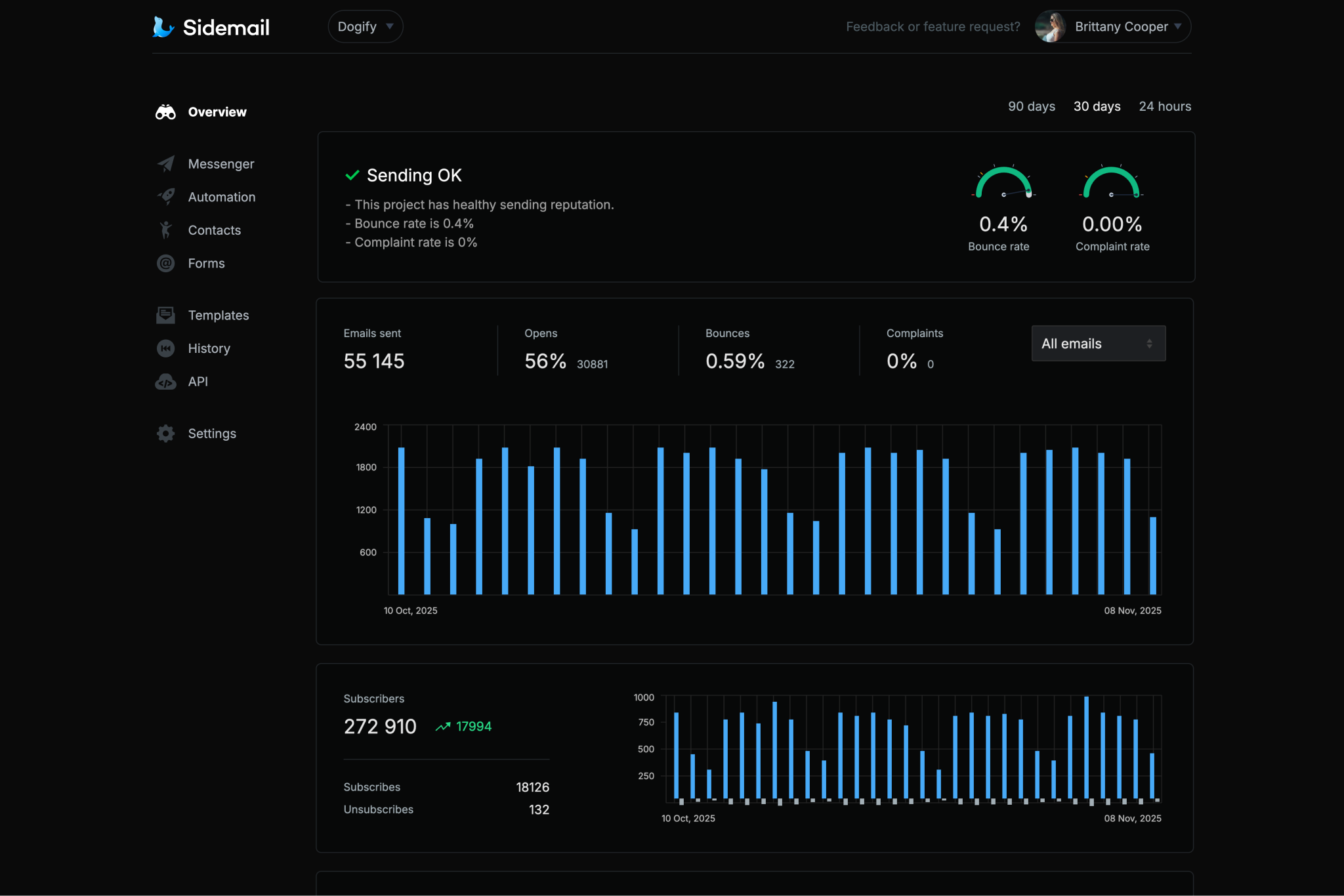
Sidemail's solid infrastructure and careful sender vetting process ensure your emails consistently land in inboxes, not spam folders. Reliable delivery without the hassle of running your own email infrastructure.Custom sending domain with DKIM & SPF
Send from your own domain without complex DNS configuration. Sidemail automatically sets up DKIM and SPF for you — two of the most critical factors for strong inbox delivery and sender reputation.All‑in‑one email platform
Sidemail covers everything in one platform – transactional and marketing emails, newsletters, email automation, subscriber collection, and contact management. One solution for every email use case.Premade email templates & no‑code editor
Sidemail includes a library of battle‑tested email templates that look great in every inbox. Need something unique? The no‑code editor lets you design responsive templates from scratch without writing any HTML.Best‑in‑class developer experience
Sidemail is built for developers: clear docs, copy‑paste examples, markdown support, detailed delivery logs, MCP server that make Rails email integration straightforward, easy to maintain and scalable.
Ruby on Rails transactional email examples
With Sidemail, you can send any transactional email from Rails. Here are a few examples with code:
# Rails: Send an account verification email
class RegistrationsController < ApplicationController
  def create
    user = User.create!(user_params)
    token = user.generate_verification_token

    SidemailService.instance.send_email(
      to_address: user.email,
      from_address: "[email protected]",
      from_name: "Your App",
      template_name: "Email Verification",
      template_props: {
        verifyUrl: "https://yourapp.com/verify?token=#{token}"
      }
    )

    render json: { status: "registered" }, status: :created
  end
end
Verification email
Send a sign-up verification email with a one-time link or code to confirm the user's email address.
- Include a clear call-to-action in verification emails and make the verification link expire for security.
- Sidemail offers a ready-made account activation template for this common use case.
# Rails: Send a payment receipt email
SidemailService.instance.send_email(
  to_address: user.email,
  from_address: "[email protected]",
  from_name: "Your App",
  template_name: "Payment Receipt",
  template_props: {
    userName: user.name,
    amount: "$19.99",
    date: Date.today.strftime("%b %d, %Y")
  }
)
Receipt or notification email
Send a receipt, invoice, or generic notification to your user.
- For receipts or order confirmations, include key details like the amount, date, and items in the email.
- Pass dynamic data via
template_propsto populate Sidemail's receipt and invoice templates.
# Rails: Schedule a welcome email for 1 hour from now
SidemailService.instance.send_email(
  to_address: "[email protected]",
  from_address: "[email protected]",
  from_name: "Your App",
  template_name: "Welcome",
  template_props: { firstName: "Alex" },
  scheduled_at: (Time.now.utc + 1.hour).iso8601
)
Welcome email with scheduled delivery
Schedule a welcome email to deliver later, for example one hour after sign-up.
- Use the
scheduled_atfield with an ISO 8601 timestamp to control exactly when the email is sent. - Rails' ActiveSupport time helpers like
1.hourmake scheduling delivery straightforward.
# Rails: Send a password reset email with Markdown
markdown = File.read(
  Rails.root.join("app/views/emails/password-reset.md")
)

SidemailService.instance.send_email(
  to_address: "[email protected]",
  markdown: markdown,
  template_props: {
    firstName: "Alex",
    resetLink: "https://yourapp.com/reset?token=abc123xyz",
    expiresIn: "30 minutes"
  }
)
---
subject: "Reset your password"
fromAddress: "[email protected]"
fromName: "Your App Security"
---
Hi {firstName}, we received a request to reset your password.
[$btn Reset password]({resetLink})
This link expires in {expiresIn}.Password reset email sent with Markdown
Sidemail's API lets you write email content in Markdown, which is automatically transformed into pixel‑perfect, responsive emails that look great in every inbox and on every device. Each email is branded with your logo and styled to match your project's email design.
- Store your password reset email in a
.mdfile in your Rails views directory - Subject and sender are defined in the markdown frontmatter.
- Pass dynamic values via
template_props(such asresetLinkandexpiresIn), which map directly to variables in your markdown.
Deliverability best practices
SPF, DKIM, and DMARC for transactional email
SPF and DKIM are authentication protocols that verify your emails are legitimately sent from your domain. DMARC builds on both by telling mail servers how to handle messages that fail those checks. Together, they are 3 critical factors for inbox delivery and sender reputation.
Sidemail automatically handles SPF, DKIM, and DMARC setup for you, so your Rails application sends authenticated, best‑practice‑compliant emails from day one.
The simplest way to build emails
No‑code email editor & premade email templates
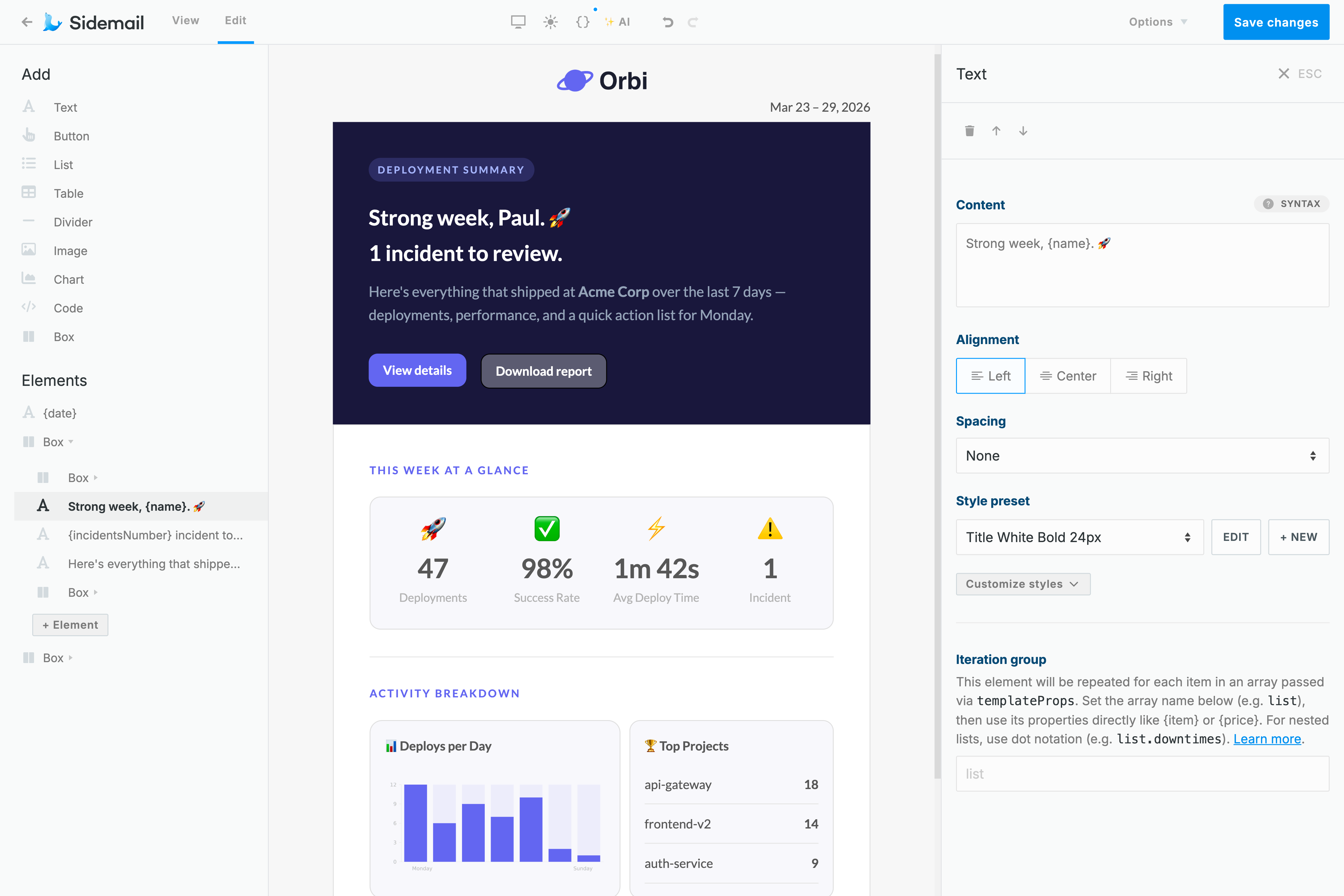
Sidemail's no‑code email editor is the quickest way to create responsive email templates that render correctly across every client and device. No HTML knowledge needed. Add your logo and brand colors, and you're ready to send.
Need to move faster? Sidemail includes a library of production‑ready templates for the most common use cases – password resets, welcome emails, receipts, and more. Build from scratch or customize a premade template — we guarantee your emails look great everywhere.
Learn moreDeveloper‑friendly formatting
Markdown support for Rails emails
Writing and maintaining HTML emails by hand is tedious, especially when all you need is clean, readable content.
Sidemail lets you write your email body in Markdown and automatically turns it into a responsive, well-styled HTML email. You get headings, lists, links, and code blocks without dealing with broken layouts or cross-client quirks.
Perfect for transactional emails in Rails: faster authoring, cleaner content, and no HTML to maintain.
Learn more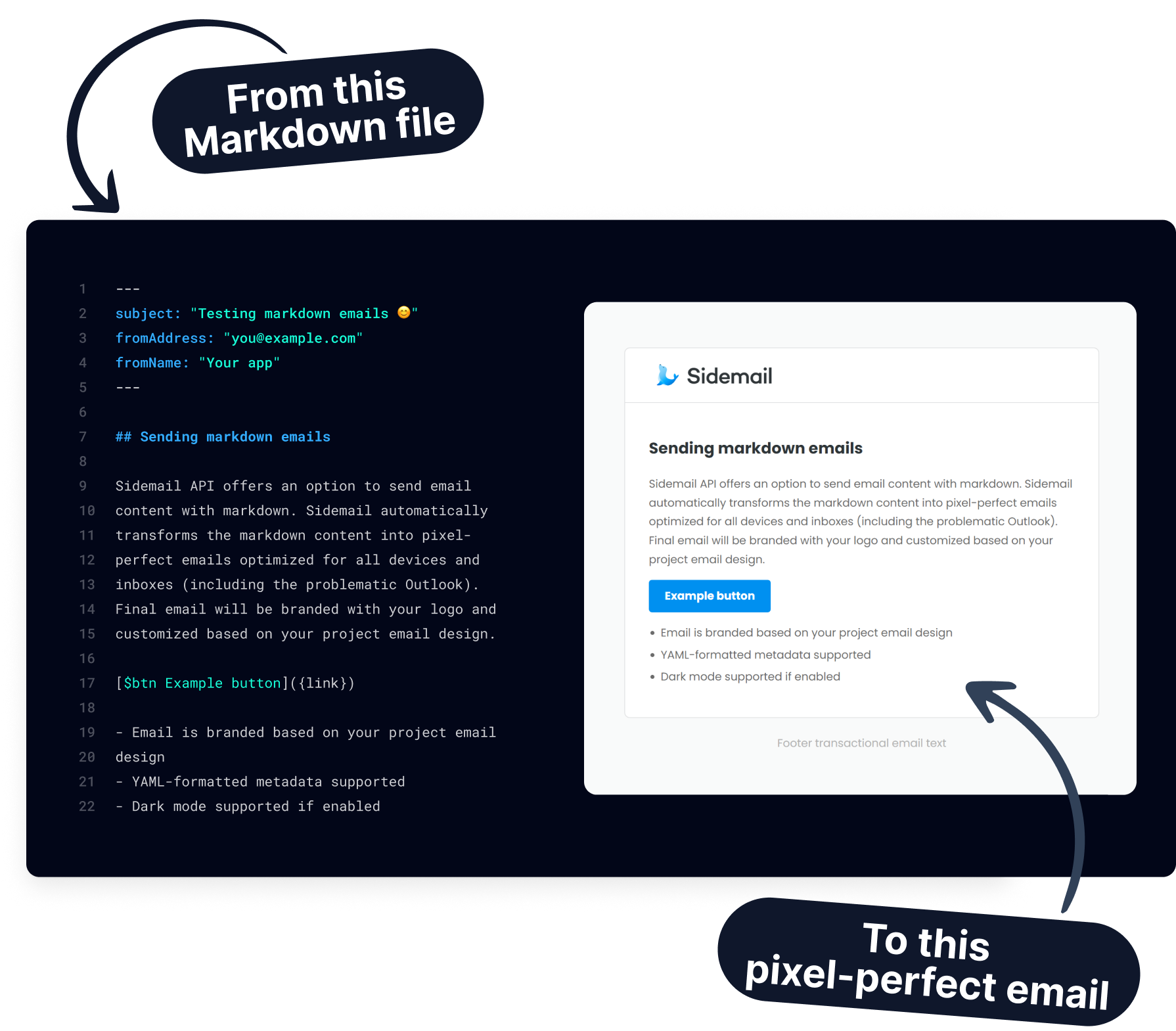
Get started today
Ready to send transactional emails from your Rails app? With Sidemail's email API and ready-made templates, you can integrate in minutes and deliver with confidence.
Start free trialFAQs
How do I send email in Ruby on Rails?
The easiest way to send email from a Rails app is by using an email API like Sidemail. Add the gem (bundle add sidemail), create a service wrapper, and call send_email from any controller. No ActionMailer or SMTP configuration needed. Sidemail manages authentication, formatting, and deliverability for you.
Do I still need ActionMailer?
No. Sidemail's Ruby SDK makes direct API calls, so you don't need ActionMailer, mailer classes, or an SMTP server. A single gem install and your API key are all that's required. You get template support, scheduling, delivery tracking, and high deliverability built in.
How do I use email templates with Rails?
Instead of building email HTML with ERB views, use Sidemail's template system. In the Sidemail dashboard, pick a premade template or build one with the drag‑and‑drop editor. In your controller, reference the template by template_name and pass dynamic data via template_props. Sidemail merges the data and sends a well‑formatted email.
Can I send emails from ActiveJob or Sidekiq?
Yes. Sidemail's API responds fast (typically under 200ms), so synchronous calls work well in most controllers. For background processing, call SidemailService.instance.send_email from an ActiveJob or Sidekiq worker. Alternatively, use Sidemail's scheduled_at field to queue the email for future delivery without a background job on your end.
Can I use Sidemail inside a Rails concern or model callback?
Yes. Since Sidemail is a plain Ruby class, you can call it from anywhere — controllers, concerns, service objects, or model callbacks like after_create. Just import or reference the SidemailService singleton and call send_email.
How do I handle email errors in Rails?
Wrap your send_email call in a begin/rescue block and catch Sidemail::Error. The exception includes the HTTP status code, error type, and a human-readable message. Log it with Rails.logger and return an appropriate response to the client.