Simple setup & reliable delivery
Send email in Next.js
Add email sending to your Next.js app in minutes using Sidemail’s email SDK and developer‑friendly API. We take care of deliverability, SPF/DKIM/DMARC, templates, and infrastructure so your Next.js backend can send reliable, production‑ready emails with minimal code.
Works seamlessly with App Router, Route Handlers, and Server Actions.
Get startedRead API docsimport { NextResponse } from "next/server";
import sidemail from "@/lib/sidemail";
export async function POST(request) {
const { email, name } = await request.json();
await sidemail.sendEmail({
toAddress: email,
fromAddress: "[email protected]",
fromName: "Your App",
templateName: "Welcome",
templateProps: { firstName: name },
});
return NextResponse.json({ message: "Welcome email sent" });
}Quickstart: Send email in Next.js
Start sending emails from your Next.js app in three steps:
Install the Sidemail SDK
Add the Sidemail package to your Next.js project:
npm install sidemailConfigure your API key
Store your API key in .env.local and create a shared Sidemail client instance. The SDK is server‑side only — use it in Route Handlers, Server Actions, or Server Components.
// lib/sidemail.js
import configureSidemail from "sidemail";

const sidemail = configureSidemail({
  apiKey: process.env.SIDEMAIL_API_KEY,
});

export default sidemail;Send your first email
Import the shared client and call sidemail.sendEmail with the recipient, sender, and template or content. That's all it takes — your Next.js app sends emails through Sidemail's API.
// Example: send a welcome email template
import { NextResponse } from "next/server";
import sidemail from "@/lib/sidemail";

export async function POST(request) {
  const { email, name } = await request.json();

  await sidemail.sendEmail({
    toAddress: email,
    fromAddress: "[email protected]",
    fromName: "Your App",
    templateName: "Welcome",
    templateProps: { firstName: name },
  });

  return NextResponse.json({ message: "Email sent" });
}
Key features & perks
Why Sidemail for Next.js emails
Quick Next.js email integration
Get email working in your Next.js app within minutes. Sidemail’s Node.js SDK fits naturally into Next.js App Router patterns: Route Handlers, Server Actions, and server components, so you can trigger emails right where your backend logic runs.The whole email sending integration takes under 30 minutes.Reliable email delivery
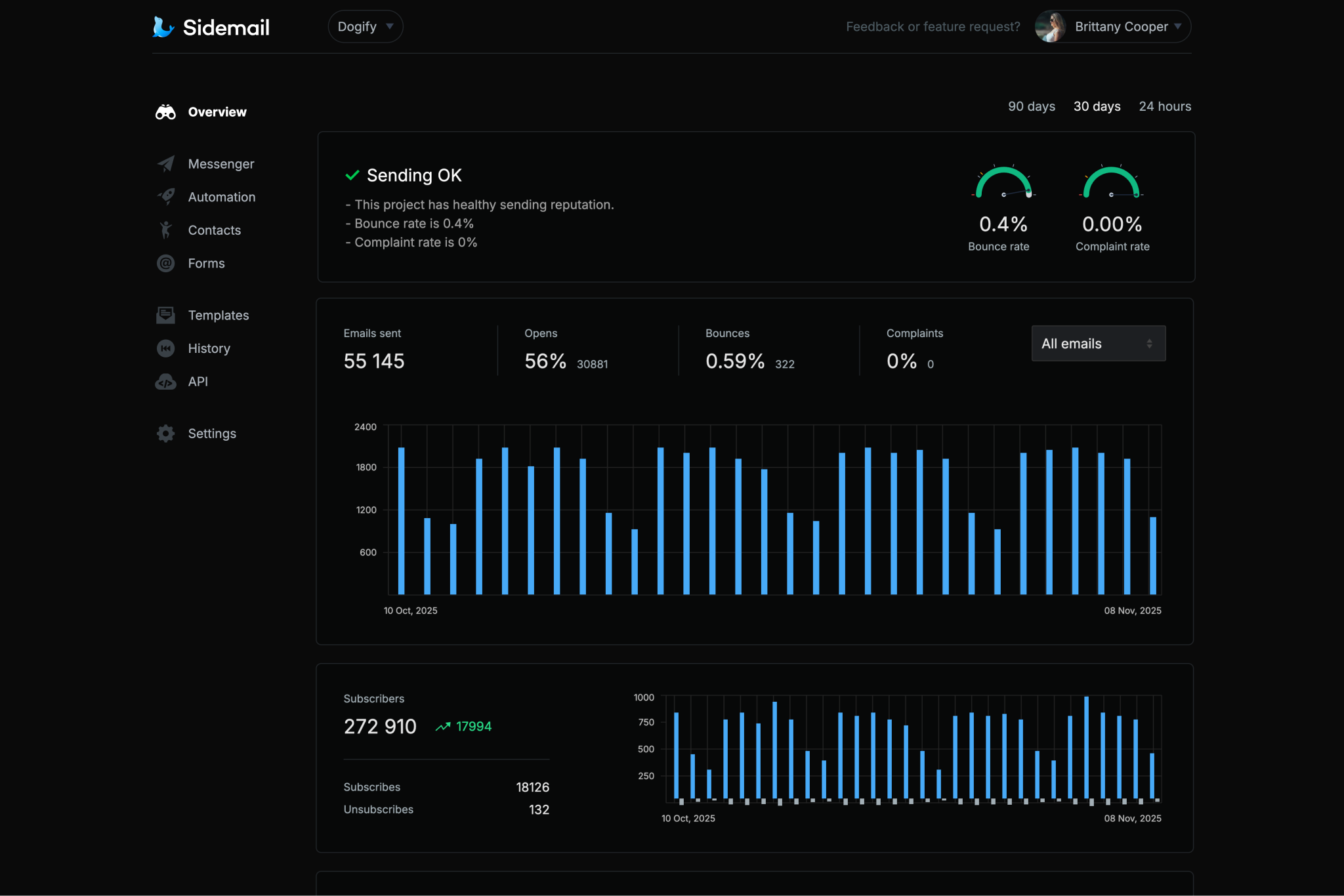
Sidemail's robust infrastructure and thorough sender vetting mean your emails land in inboxes, not spam folders. A dependable choice for developers who want great deliverability without the headache. Quick to set up, simple to manage, and designed to just work.Custom sending domain with DKIM & SPF
Send from your own domain without the painful DNS configuration. Sidemail handles DKIM and SPF setup automatically – two of the most important factors for inbox delivery and maintaining a strong sender reputation.All‑in‑one email platform
Sidemail brings everything together – transactional and marketing emails, newsletters, automated sequences, subscriber forms, and contact management. No need to patch together multiple services. One platform covers every email use case.Premade email templates & no‑code editor
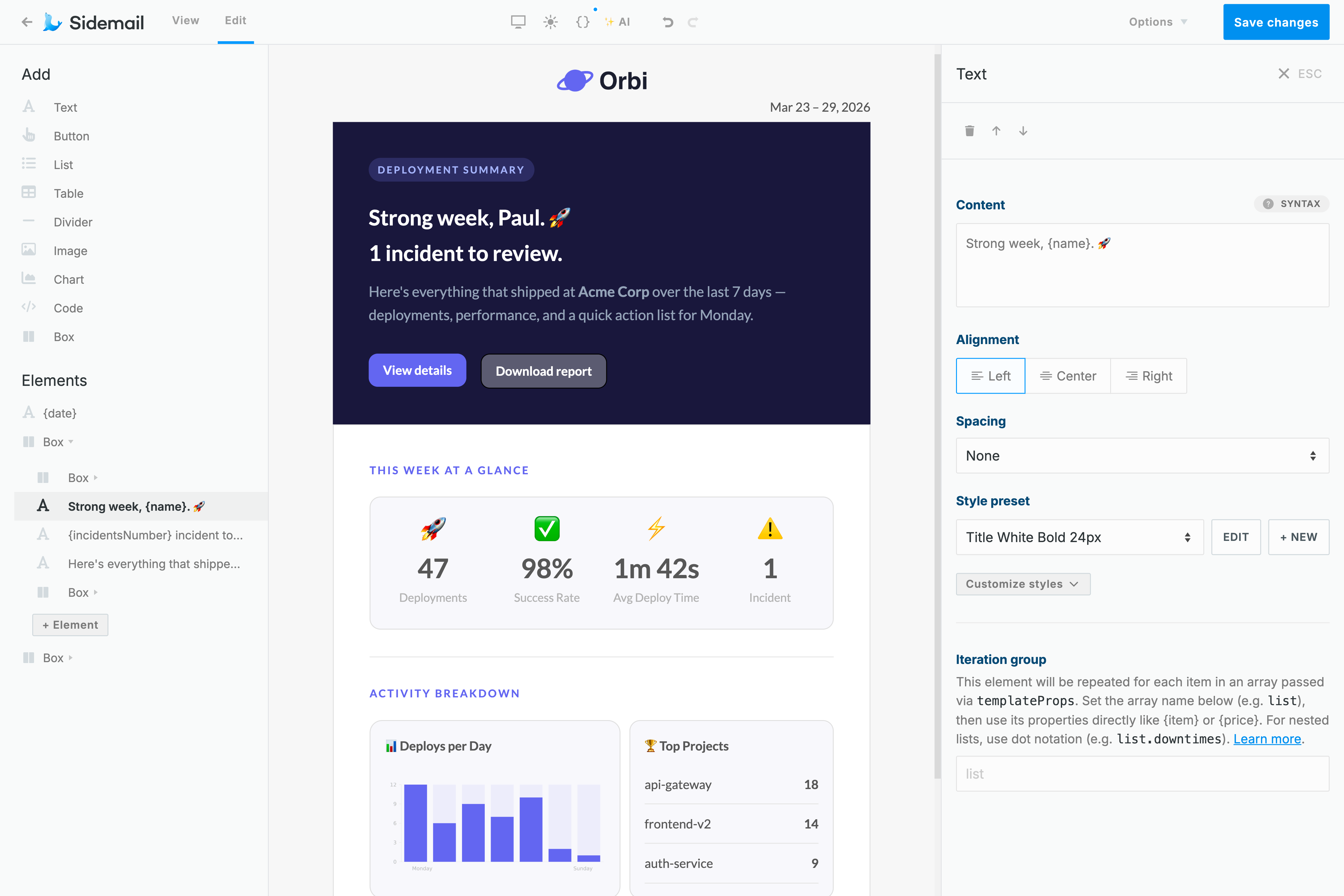
Sidemail includes a library of production‑ready, battle‑tested email templates that render perfectly in every inbox. Want to customize? The no‑code email editor lets you tweak existing templates or design new responsive ones from scratch, no HTML knowledge needed.Best‑in‑class developer experience
Sidemail's API is made for developers who value their time. Thorough documentation, copy‑paste code examples for multiple languages, and thoughtful features that simplify both integration and daily use. Markdown emails, detailed delivery logs, an MCP server, and a rich API. This all makes Sidemail a platform developers genuinely enjoy working with.
Next.js transactional email examples
Sidemail handles any transactional email you need. Here are practical examples with Next.js code:
// Next.js: Send an account verification email
// app/api/verify/route.js
import { NextResponse } from "next/server";
import sidemail from "@/lib/sidemail";

export async function POST(request) {
  const { email, token } = await request.json();

  await sidemail.sendEmail({
    toAddress: email,
    fromAddress: "[email protected]",
    fromName: "Your App",
    templateName: "Email Verification",
    templateProps: {
      verifyUrl: `https://yourapp.com/verify?token=${token}`,
    },
  });

  return NextResponse.json({ message: "Verification sent" });
}
Verification email
Confirm a user's email address by sending a one‑time verification link or code right from an App Router Route Handler.
- Always include a clear call‑to‑action and set an expiration on the verification link for security.
- Sidemail includes a ready‑made account activation template you can use.
// Next.js: Send a payment receipt via Server Action
// app/actions.js
"use server";

import sidemail from "@/lib/sidemail";

export async function sendReceipt(formData) {
  const email = formData.get("email");

  await sidemail.sendEmail({
    toAddress: email,
    fromAddress: "[email protected]",
    fromName: "Your App",
    templateName: "Payment Receipt",
    templateProps: {
      userName: formData.get("name"),
      amount: "$19.99",
      date: new Date().toLocaleDateString(),
    },
  });
}
Receipt email via Server Action
Send a payment receipt or invoice directly from a form submission using Next.js Server Actions, no separate API route needed.
- Include key details like amount, date, and items for clear receipts and order confirmations.
- Sidemail provides receipt and invoice templates. Pass dynamic data through
templatePropsto populate them.
// Next.js: Schedule a welcome email for 1 hour from now
import sidemail from "@/lib/sidemail";

const scheduledAt = new Date(Date.now() + 60 * 60 * 1000).toISOString();

await sidemail.sendEmail({
  toAddress: "[email protected]",
  fromAddress: "[email protected]",
  fromName: "Your App",
  templateName: "Welcome",
  templateProps: { firstName: "Alex" },
  scheduledAt: scheduledAt,
});
Welcome email with scheduled delivery
Delay a welcome email to arrive later. For example, one hour after a user signs up, giving them time to explore your app first.
- Set the
scheduledAtfield to an ISO timestamp to control exactly when the email gets delivered. - Great for onboarding sequences where timing matters. No need to build your own scheduler or cron jobs.
// Next.js: Send a password reset email with Markdown
import { promises as fs } from "fs";
import path from "path";
import sidemail from "@/lib/sidemail";

const templatePath = path.join(
  process.cwd(), "templates/emails/password-reset.md"
);
const markdown = await fs.readFile(templatePath, "utf8");

// Subject and sender are defined in the markdown frontmatter
await sidemail.sendEmail({
  toAddress: "[email protected]",
  markdown: markdown,
  templateProps: {
    firstName: "Alex",
    resetLink: "https://yourapp.com/reset?token=abc123xyz",
    expiresIn: "30 minutes",
  },
});
Password reset email sent with Markdown
Sidemail lets you write email content in Markdown and automatically transforms it into pixel‑perfect, responsive HTML that looks great in every inbox and on every device. Each email is branded with your logo and matches your project's design.
- Keep your password reset email in a
.mdfile with sender and subject in the frontmatter. - Pass dynamic values through
templateProps(likeresetLinkandexpiresIn) – they map directly to variables in your markdown.
Deliverability best practices
SPF, DKIM, and DMARC for transactional email
SPF and DKIM are email authentication protocols that prove messages are genuinely sent from your domain. DMARC builds on top of both, telling mail servers what to do with messages that fail authentication. Together, these three protocols are essential for inbox placement and a healthy sender reputation.
Sidemail takes care of SPF, DKIM, and DMARC configuration automatically, so every email your Next.js app sends is fully authenticated and follows best practices from day one.
The simplest way to build emails
No‑code email editor & premade email templates
Sidemail's no‑code editor is the fastest way to build responsive email templates that render perfectly in every client and on every device. No HTML skills needed. Just add your logo and brand colors, and you're good to go.
Want to ship even faster? Pick from a library of production‑ready templates for common use cases like password resets, welcome emails, and receipts. Whether you start from scratch or customize a premade template, your emails are guaranteed to look great everywhere.
Learn moreDeveloper‑friendly formatting
Markdown support for Next.js emails
Hand‑coding HTML emails is no one's idea of a good time, especially when all you need is clean, readable content.
With Sidemail, you write your email body in Markdown and it's automatically converted into a responsive, well‑designed HTML email. Headings, lists, links, code blocks – all formatted correctly without worrying about cross‑client rendering issues or broken layouts.
Perfect for transactional emails sent from your Next.js app. Clean content, fast authoring, and zero HTML to wrestle with.
Learn more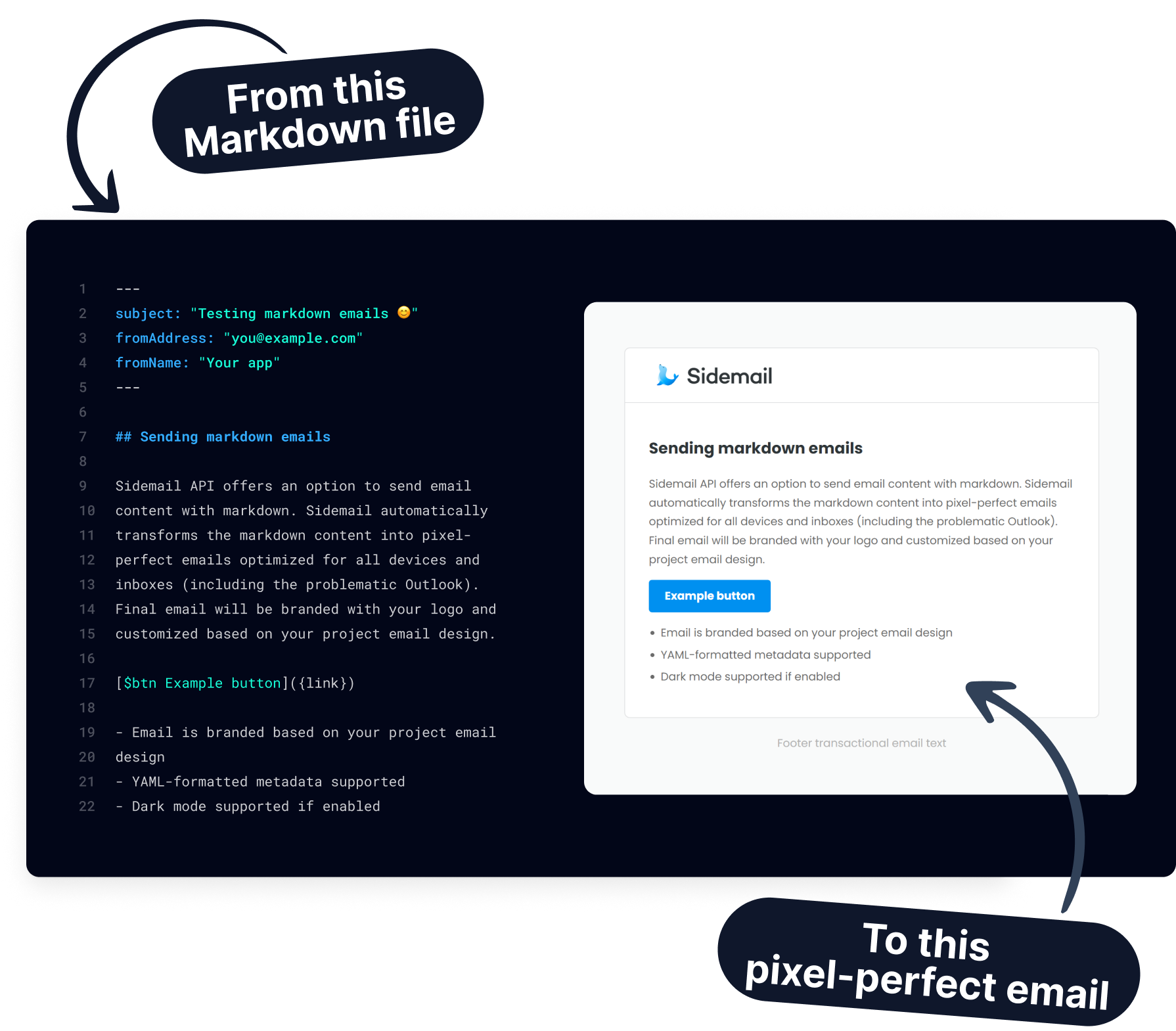
Get started today
Ready to send transactional emails from your Next.js app? Sidemail's API and templates let you integrate in minutes and deliver emails reliably.
Start free trialFAQs
How do I send email in Next.js?
The simplest way to send email in Next.js is with an email service like Sidemail. Install the SDK (npm install sidemail), store your API key in .env.local, and create a shared client in lib/sidemail.js. Then call sidemail.sendEmail() from any Route Handler, Server Action, or Server Component. No SMTP configuration needed. Sidemail handles authentication, formatting, and deliverability for you.
Can I use the Sidemail SDK in Client Components?
No. The Sidemail SDK is designed for server‑side use only. Use it in Route Handlers (app/api/*/route.js), Server Actions, or Server Components. If you need to trigger an email from a client‑side interaction, call a Route Handler or Server Action from your Client Component and send the email server‑side.
Does Sidemail work with Next.js App Router and Pages Router?
Yes. Sidemail works with both the App Router (Next.js 13, 14, 15) and the Pages Router. With the App Router, use Route Handlers and Server Actions. With the Pages Router, use API routes (pages/api/). The SDK setup is the same in both cases.
How do I send emails from a Server Action?
Import your shared Sidemail client in a file marked with "use server" and call sidemail.sendEmail() with the recipient, sender, and content. Server Actions run entirely on the server, so your API key stays secure. You can wire the action directly to a form submission or call it programmatically from a Client Component.
How do I use email templates in Next.js?
Instead of coding email HTML by hand, use Sidemail's transactional email templates. Pick a pre‑built template in the dashboard (or build your own with the drag‑and‑drop editor), then reference it by templateName and pass personalization data through templateProps. Sidemail merges the data and delivers a polished, consistently styled email.
Can I schedule emails to send later?
Yes. Add a scheduledAt field with a future ISO 8601 timestamp (e.g. 2026-04-15T09:00:00Z) to your sendEmail() call. Sidemail queues the message and delivers it at the specified time. You can view or cancel scheduled emails through the dashboard or API.
Can I send attachments in Next.js emails?
Yes. Read the file using Node.js fs and use the SDK's sidemail.fileToAttachment(name, data) helper to create the attachment object. Include it in the attachments array of your email payload. Allowed file types include PDF, PNG, JPG, and CSV. Keep total attachments under about 2.5 MB. For larger files, share a download link instead.