Simple setup & reliable delivery
Send email in Laravel
Add transactional email to your Laravel app in minutes using Sidemail's official PHP SDK. Send welcome emails, password resets, receipts, and notifications through a clean API while Sidemail takes care of deliverability, authentication, and infrastructure.
Get startedRead API docsuse Sidemail\Sidemail;
class RegistrationController extends Controller
{
public function store(Request $request, Sidemail $sidemail)
{
// ... create user ...
$sidemail->sendEmail([
'toAddress' => $user->email,
'fromAddress' => '[email protected]',
'fromName' => 'Your App',
'templateName' => 'Welcome',
'templateProps' => ['firstName' => $user->name],
]);
return response('User registered!');
}
}Quickstart: Send email in Laravel
Start sending emails from your Laravel app in three steps:
Install the Sidemail PHP SDK
Add Sidemail to your Laravel project via Composer:
composer require sidemail/sidemailConfigure the service
Add your API key to .env and register the Sidemail client as a singleton in AppServiceProvider. The SDK reads SIDEMAIL_API_KEY from your environment automatically.
// app/Providers/AppServiceProvider.php
use Sidemail\Sidemail;
class AppServiceProvider extends ServiceProvider
{
public function register(): void
{
$this->app->singleton(Sidemail::class, function () {
return new Sidemail();
});
}
}Send email from a controller
Inject Sidemail\Sidemail into your controller method and call sendEmail. Pass the recipient, sender, and template or content. That's it – your Laravel app sends the email through Sidemail's API.
use Sidemail\Sidemail;

class RegistrationController extends Controller
{
    public function store(Request $request, Sidemail $sidemail)
    {
        // ... create user ...

        $sidemail->sendEmail([
            'toAddress'     => $user->email,
            'fromAddress'   => '[email protected]',
            'fromName'      => 'Your App',
            'templateName'  => 'Welcome',
            'templateProps' => ['firstName' => $user->name],
        ]);

        return response('User registered!');
    }
}Key features & perks
Why Sidemail for Laravel emails
Quick Laravel email integration
Send emails from your Laravel controllers in minutes. Sidemail's JSON API and official PHP SDK are designed for fast integration, with clear docs and copy‑paste examples that get you fully set up in under 30 minutes.Reliable email delivery
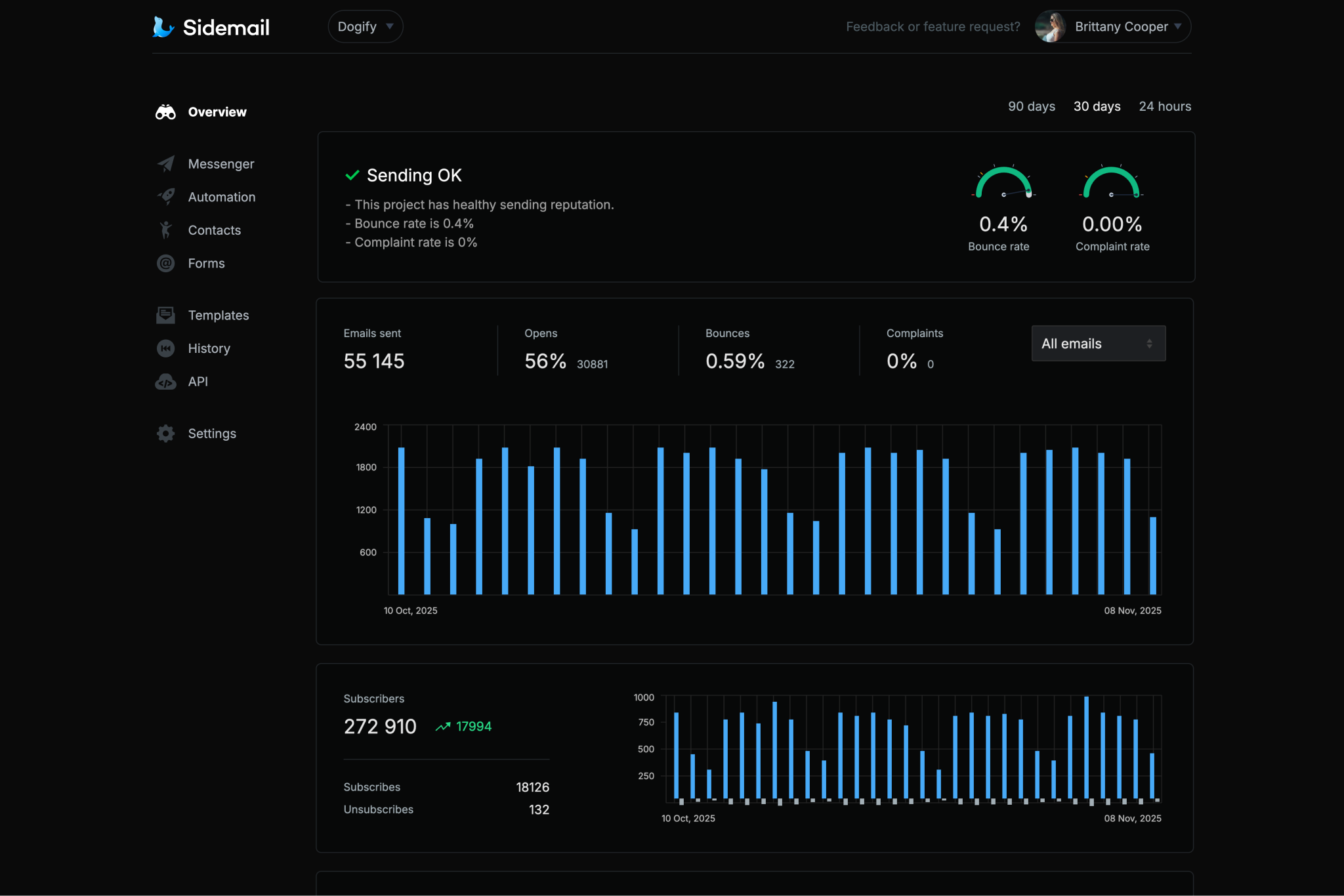
Sidemail's infrastructure and careful sender vetting process mean your emails consistently land in inboxes, not spam folders. It's built for developers who want dependable delivery without the complexity.Custom sending domain with DKIM & SPF
Send emails from your own domain without the hassle of manual DNS configuration. Sidemail automatically sets up DKIM and SPF (+ optionally DMARC) for you. These are two of the most important factors for strong inbox placement and sender reputation.All‑in‑one email platform
Sidemail handles everything in one place. Transactional and marketing emails, newsletters, email automation, subscriber collection, and contact management. One platform that covers every email use case instead of stitching together multiple tools.Premade email templates & no‑code editor
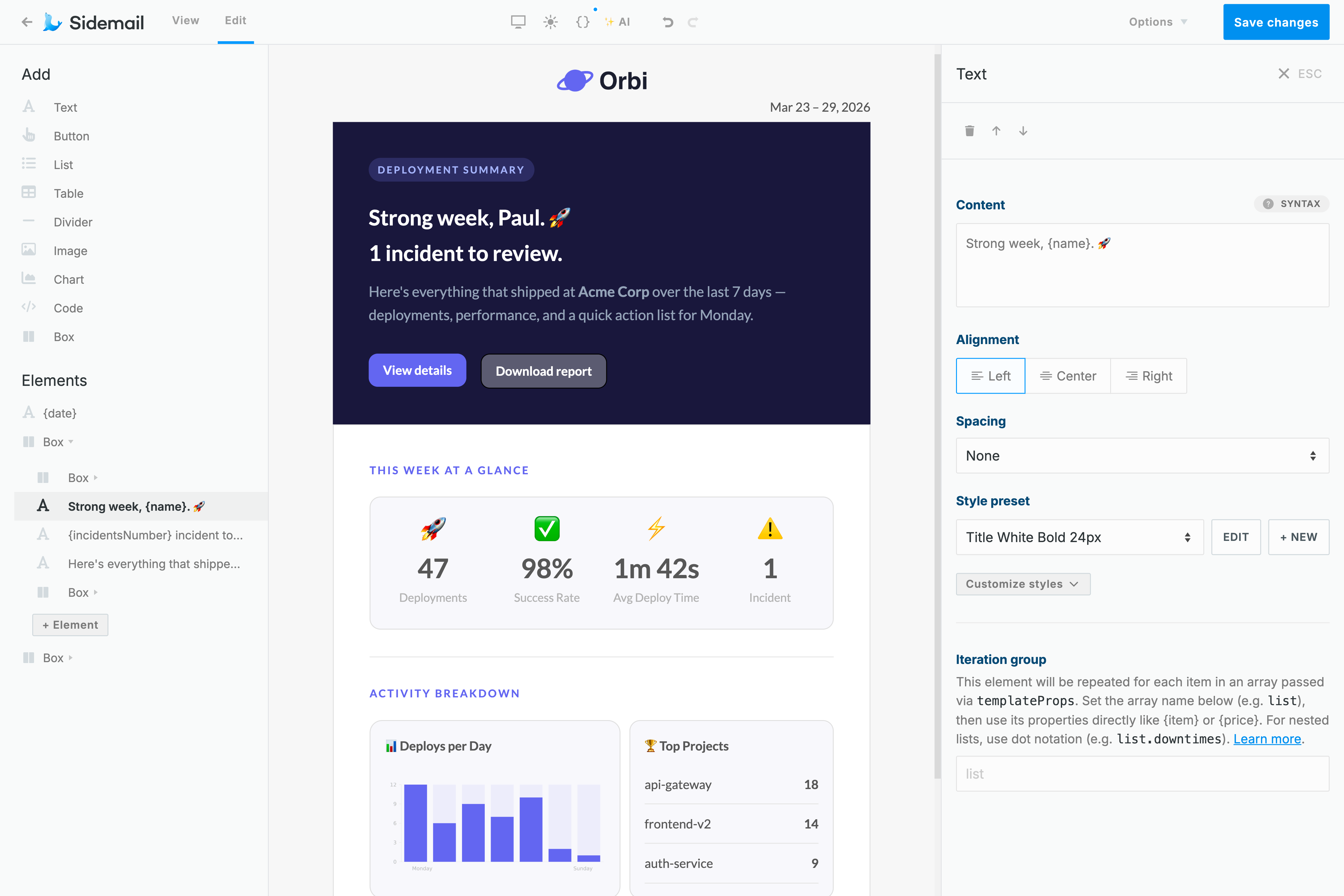
Get started with a library of production‑ready, tested email templates that render perfectly in every inbox. Want something custom? The no‑code email editor lets you modify existing templates or build responsive ones from scratch, all without writing a single line of HTML.Best‑in‑class developer experience
Sidemail is built for developers who value their time. Clear documentation, copy‑paste code snippets in multiple languages, and thoughtful features like markdown email support, detailed logs, an MCP server, and rich API data make integration and daily use genuinely enjoyable.
Laravel transactional email examples
Sidemail makes it easy to send any transactional email from Laravel. Here are a few common examples with code:
// Laravel: Send an account verification email
use Sidemail\Sidemail;

public function store(Request $request, Sidemail $sidemail)
{
    // ... create user, generate token ...

    $sidemail->sendEmail([
        'toAddress'     => $user->email,
        'fromAddress'   => '[email protected]',
        'fromName'      => 'Your App',
        'templateName'  => 'Email Verification',
        'templateProps' => [
            'verifyUrl' => 'https://yourapp.com/verify?token=' . $token,
        ],
    ]);

    return response('User registered!');
}
Verification email
Send a sign-up verification email with a one-time link or code to confirm the user's address.
- It's best practice to include a clear call-to-action (button or link) in verification emails and to ensure the verification link expires for security.
- Sidemail provides a ready-made account activation template to handle this use case.
// Laravel: Send a payment receipt email
use Sidemail\Sidemail;

public function sendReceipt(Request $request, Sidemail $sidemail)
{
    $sidemail->sendEmail([
        'toAddress'     => $user->email,
        'fromAddress'   => '[email protected]',
        'fromName'      => 'Your App',
        'templateName'  => 'Payment Receipt',
        'templateProps' => [
            'userName' => $user->name,
            'amount'   => '$19.99',
            'date'     => now()->toFormattedDateString(),
        ],
    ]);

    return response('Receipt sent!');
}
Receipt or notification email
Send a receipt, invoice, or generic notification to your user.
- For receipts or order confirmations, include key details (amount, date, items) in the email.
- Sidemail offers receipt and invoice email templates, and you can pass dynamic data (like item lists, prices) via
templatePropsto populate the template. - This ensures users have all the info they need, and the design is consistent.
// Laravel: Schedule a welcome email for 1 hour from now
$sidemail->sendEmail([
    'toAddress'     => '[email protected]',
    'fromAddress'   => '[email protected]',
    'fromName'      => 'Your App',
    'templateName'  => 'Welcome',
    'templateProps' => ['firstName' => 'Alex'],
    'scheduledAt'   => now()->addHour()->toIso8601String(),
]);
Welcome email with scheduled delivery
Schedule a welcome email to be sent later, for example one hour after sign-up.
- Use the
scheduledAtfield with an ISO timestamp to control exactly when the email is sent. - This is useful for onboarding flows where you want to delay the first message until the user has had a bit of time in your app.
// Laravel: Send a password reset email with Markdown
$markdown = file_get_contents(
    resource_path('views/emails/password-reset.md')
);

$sidemail->sendEmail([
    'toAddress'     => '[email protected]',
    'markdown'      => $markdown,
    'templateProps' => [
        'firstName' => 'Alex',
        'resetLink' => 'https://yourapp.com/reset?token=abc123xyz',
        'expiresIn' => '30 minutes',
    ],
]);
---
subject: "Reset your password"
fromAddress: "[email protected]"
fromName: "Your App Security"
---
Hi {firstName}, we received a request to reset your password.
[$btn Reset password]({resetLink})
This link expires in {expiresIn}.Password reset email sent with Markdown
Sidemail's API gives you an option to write email content in Markdown, which is automatically transformed into pixel‑perfect, responsive emails that look great in every inbox and on every device. Each email is branded with your logo and styled to match your project's email design.
- Store your password reset email in a
.mdfile - Subject and sender are defined in the markdown frontmatter.
- Pass dynamic values via
templateProps(such asresetLinkandexpiresIn), which map directly to variables in your markdown.
Deliverability best practices
SPF, DKIM, and DMARC for transactional email
SPF and DKIM are authentication protocols that verify your emails are legitimately sent from your domain. And DMARC builds on both by instructing mail servers how to handle messages that fail those checks. Together, they are 3 critical factors for inbox delivery and sender reputation.
Sidemail automatically handles SPF, DKIM, and DMARC setup for you, so your Laravel app sends authenticated, compliant emails from day one.
The simplest way to build emails
No‑code email editor & premade email templates
Sidemail's visual email editor is the fastest way to create responsive templates that render correctly in every email client and on every device. No HTML knowledge needed. Add your logo and brand colors, and start sending right away.
Want to move even faster? Choose from a library of production‑ready templates for common use cases like password resets, welcome emails, and receipts. Whether you build from scratch or customize an existing template, your emails will look polished everywhere.
Learn moreDeveloper‑friendly formatting
Markdown support for Laravel emails
Building and maintaining HTML emails by hand is painful, especially when all you want is clean, readable content.
With Sidemail, you write your email body in Markdown and it gets automatically converted into a responsive, well‑styled HTML email. Smart formatting like headings, lists, links, and code blocks works out of the box, with no broken layouts or cross‑client rendering issues.
Perfect for transactional emails sent from your Laravel app. Clean content, fast authoring, zero HTML to debug.
Learn more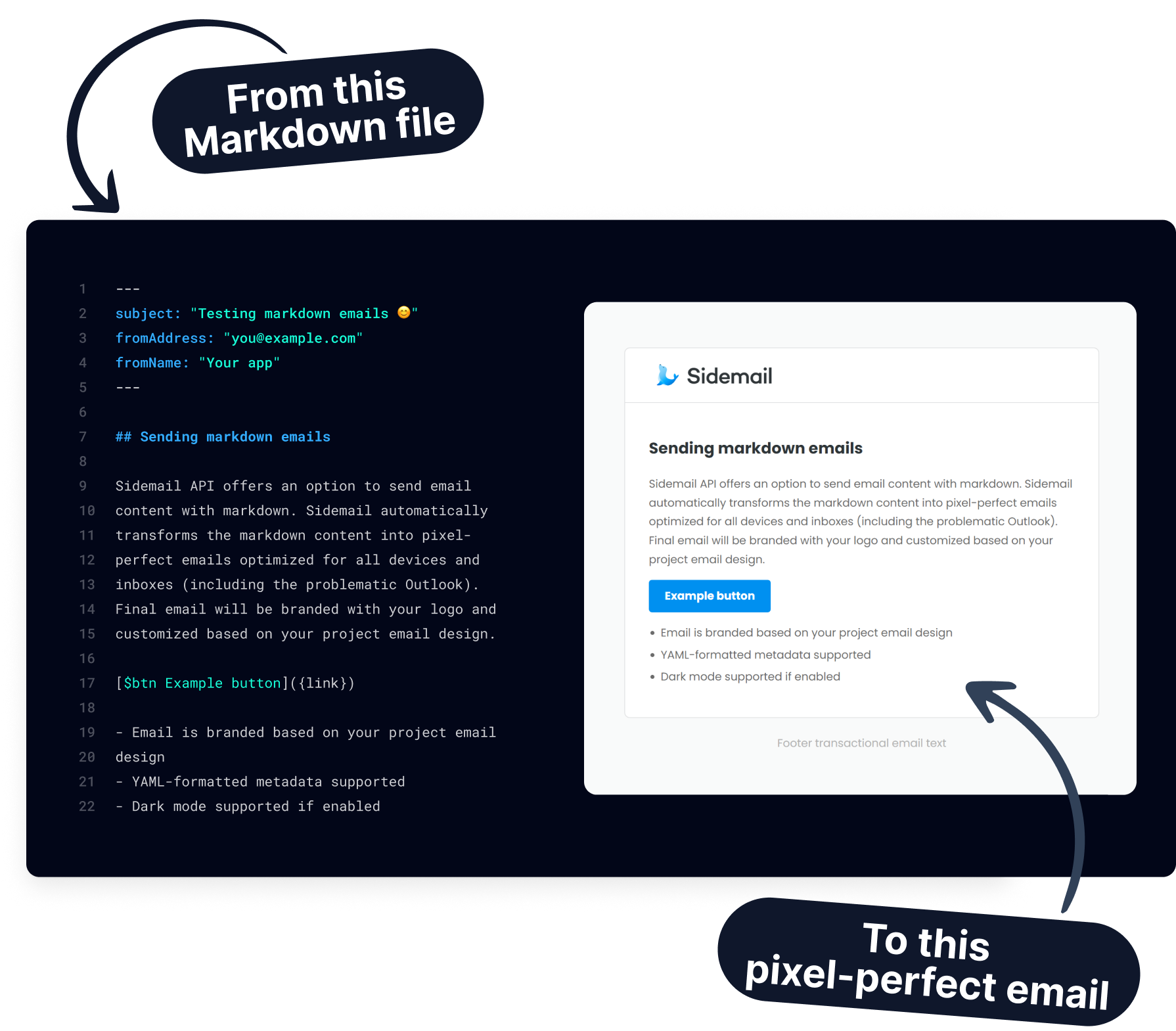
Get started today
Ready to send transactional emails from your Laravel app? With Sidemail's API and premade templates, you can integrate in minutes and deliver emails reliably.
Start free trialFAQs
How do I send email in Laravel?
The easiest way to send email in Laravel is by using an email API like Sidemail. Install the PHP SDK (composer require sidemail/sidemail), register the client as a singleton in your AppServiceProvider, and inject it into any controller method. Then call $sidemail->sendEmail() with your email payload. No SMTP configuration, no Mailable classes – just a clean API call. Sidemail handles authentication, formatting, and deliverability for you.
Can I use Sidemail instead of Laravel's built-in Mail?
Yes. Sidemail replaces the need for Laravel's Mailable classes, Mail facade, and SMTP drivers. Instead of building Mailable objects and configuring mail drivers, you call a single sendEmail() method with your data. This approach is simpler, gives you managed deliverability (DKIM, SPF, DMARC), premade templates, and a dashboard for monitoring – without any of the boilerplate.
How do I use email templates with Laravel?
Instead of building Blade email views, use Sidemail's template system. In the Sidemail dashboard, pick a premade template or create your own with the drag‑and‑drop editor. Then in your Laravel controller, reference the template by templateName and pass personalization data via templateProps. For example, a "Welcome" template with a {firstName} variable can be sent by calling $sidemail->sendEmail() with the matching prop. Sidemail merges the data and delivers a well‑formatted email.
Can I send emails from Laravel Artisan commands and queues?
Absolutely. Since the Sidemail client is registered as a singleton in the service container, you can resolve it anywhere – controllers, Artisan console commands, queued jobs, event listeners, or scheduled tasks. This makes it straightforward to send emails from background processes like weekly report commands or async job workers.
Can I schedule an email to send later from Laravel?
Yes. Add the scheduledAt field with a future ISO 8601 timestamp to your sendEmail() call. In Laravel, you can use now()->addHour()->toIso8601String() to generate it. Sidemail queues the message and delivers it at the specified time. You can view or cancel scheduled emails from the dashboard or via the API.
How do I handle errors when sending emails in Laravel?
Wrap your $sidemail->sendEmail() call in a try/catch block and catch Sidemail\SidemailException. The exception includes the HTTP status, error code, and message, making it easy to log with Laravel's Log::error() or report to your error tracking service.