Developers most favorite
Send markdown emails
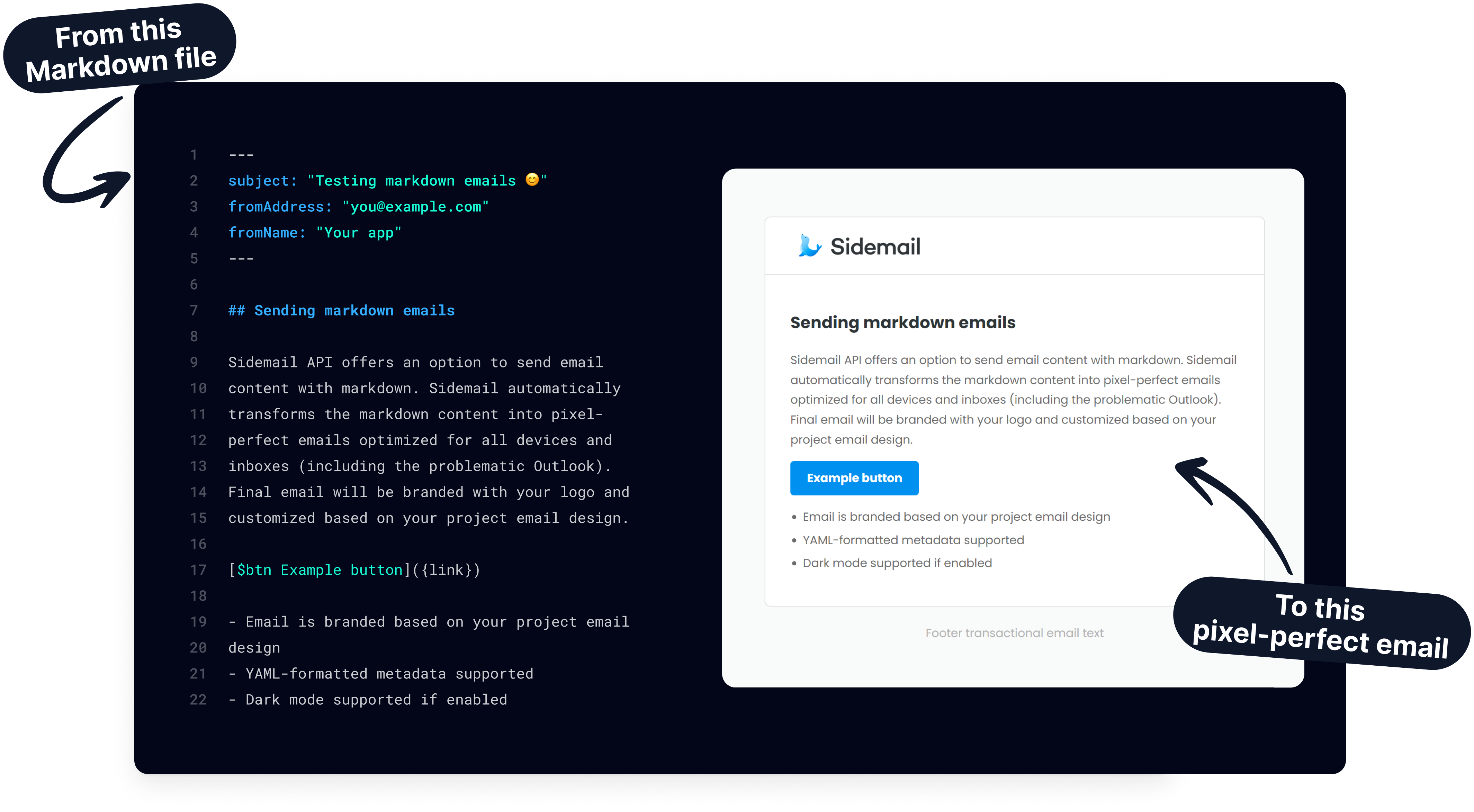
Write emails in markdown and let Sidemail automatically convert to HTML, optimized for all devices and inboxes. We handle the design, branding, and delivery, so you can focus on your content and skip the tedious HTML email coding.
Why markdown for email
Fast & focused on content
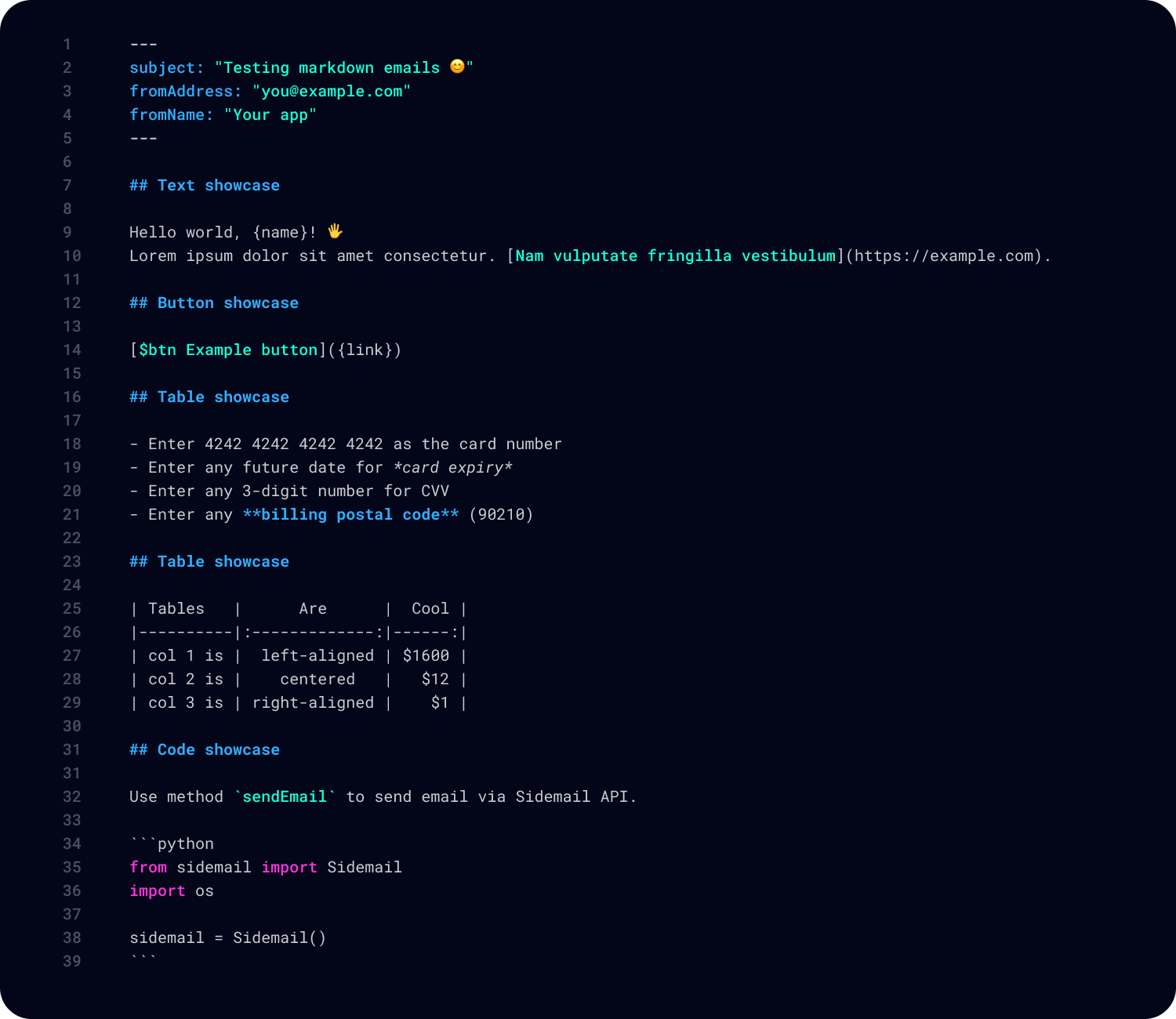
Compose emails quickly in plain markdown, without wrestling with tables or inline styles. You can focus on your content, Sidemail then transforms it into a polished HTML email for you.
Input dynamic data easily using
{curly}placeholders.Turn any link into a CTA button by prefixing it with
$btn.Sidemail merges your variables and applies styling automatically.
Pixel‑perfect HTML output
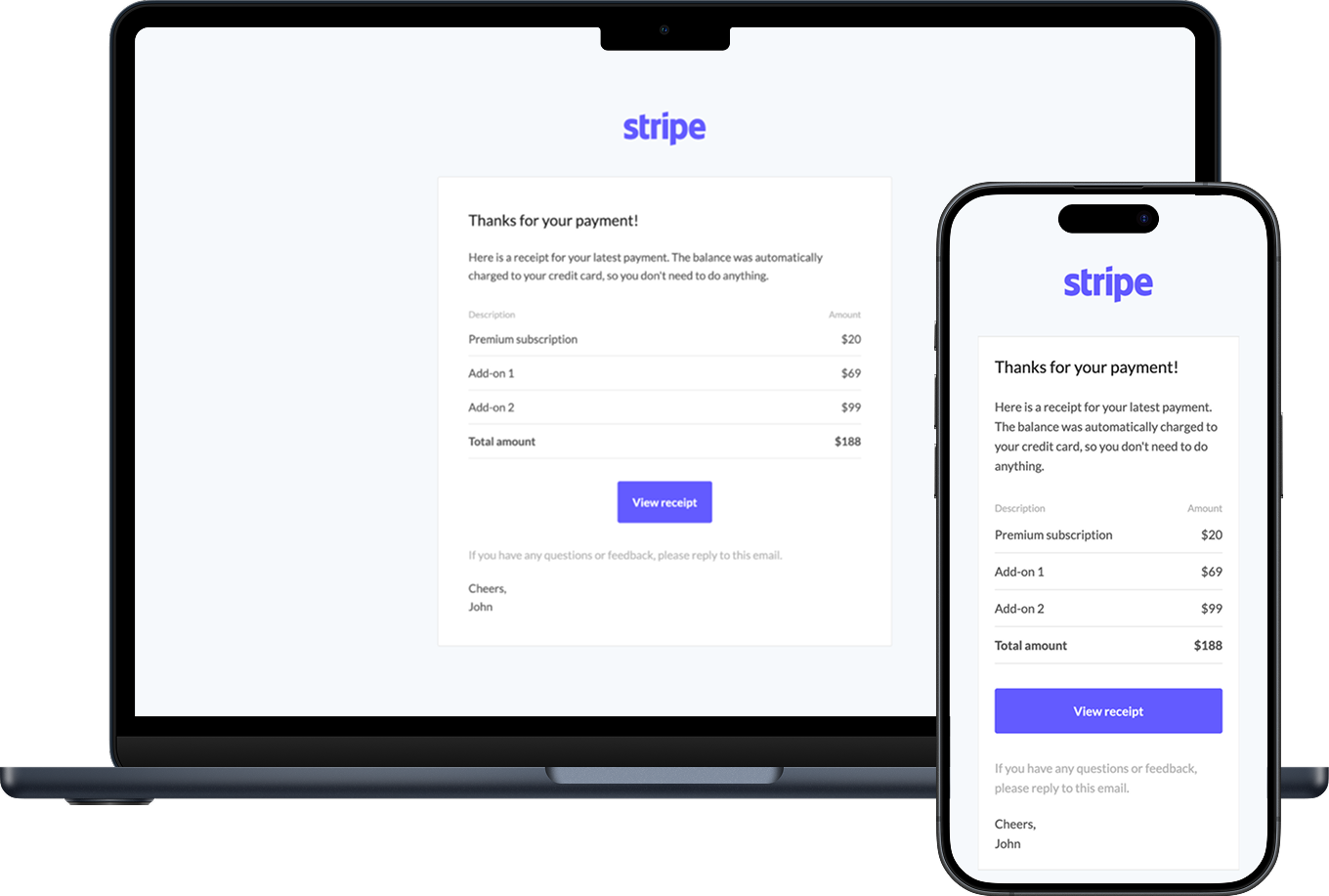
Sidemail automatically converts your markdown into beautiful, responsive HTML that’s been tested on all major clients. Every email is mobile‑friendly, dark mode compatible, and won’t break in any email client. So your messages always looks great.
Mobile: Gmail, iOS 9.3+, Android 4.4+, …
Web: Gmail, Outlook.com, Yahoo! Mail, AOL, …
Desktop: Apple Mail, Windows 10 Mail, Outlook, …
Reliable email delivery
We provide you with reliable delivery and email best practices out of the box. Sidemail automatically sets up DKIM/SPF for your sending domain, includes unsubscribe links and open tracking (can disabled), handles bounces and complaints via suppression lists, and more.
Industry fastest email delivery
Reliable infrastructure
Automatic DKIM & SPF setup
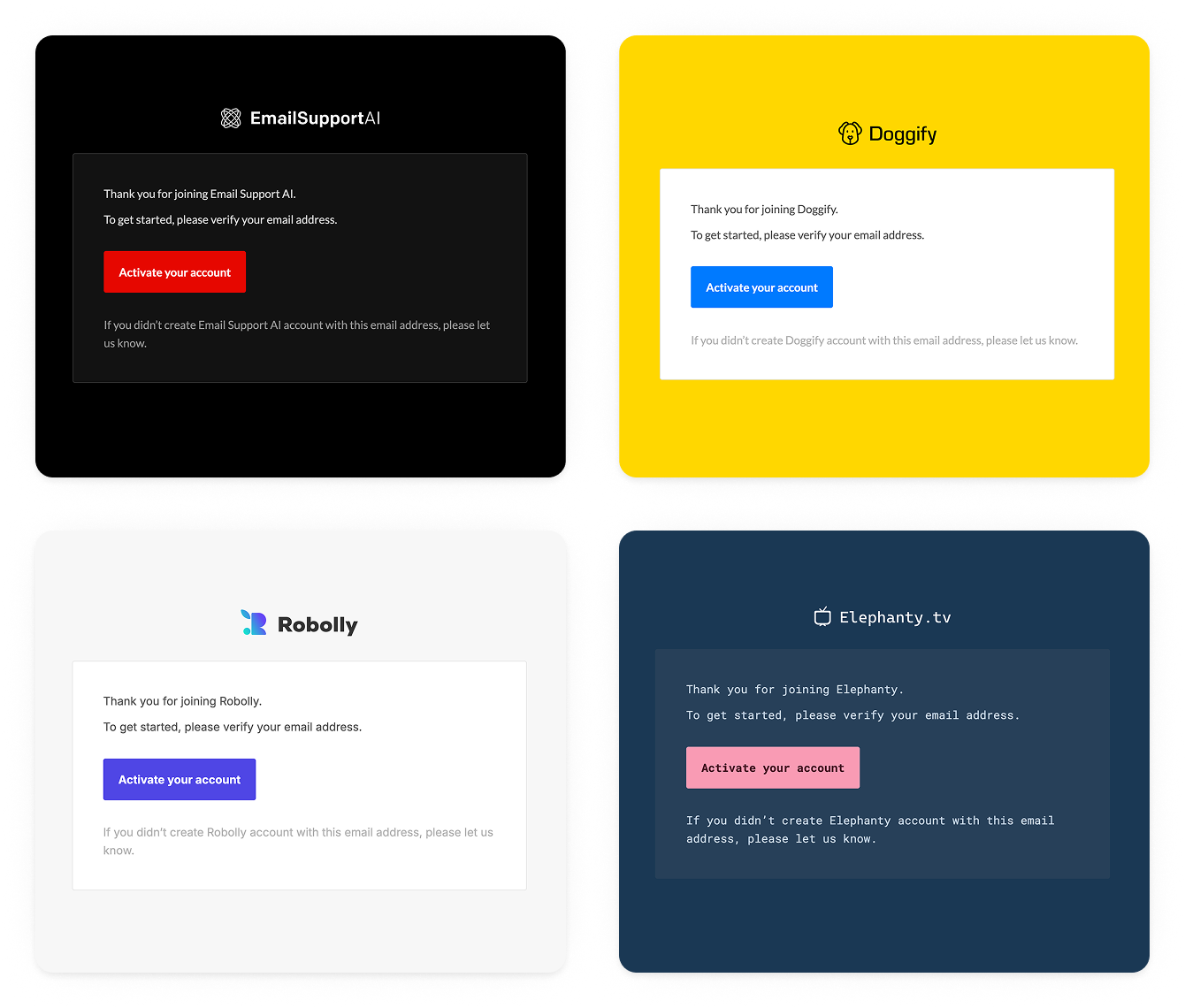
Branded email design
Your markdown email is branded with your logo and theme by default, so it matches your company design without extra effort.
Add your company logo
Customize colors
Select fonts
Built-in dark mode support
Quickstart:
Send your first markdown email
Getting started is easy, no HTML template needed. Here’s how to send markdown emails in three steps:
Compose the email in markdown
Draft your email content in a markdown file (e.g. welcome-email.md) or a multiline string. You can even include YAML front‑matter for metadata like subject, from address or from name, so everything is defined in one place.
Get your Sidemail API key
Get your Sidemail API key (sign up for a free trial) and authenticate using your preferred method. We offer official SDKs (Node, PHP, Python, etc.) or you can call the REST API directly.
Send email
Use the sendEmail API method to send your markdown email. Just pass the markdown content in the markdown field of the JSON payload. Sidemail will automatically convert the markdown to a responsive HTML email behind the scenes, applying your project’s design. If you'd like to read more, check out API docs.
Examples of markdown email sending
To illustrate markdown emails in action, here are a few common transactional email sending scenarios using markdown:
const markdown = `
---
subject: "Reset Your Password"
fromAddress: "[email protected]"
fromName: "Your app"
---

Hi {firstName},

We received a request to reset your password.

[$btn Reset Password]({resetUrl})

If you didn't request it, you can ignore this email.

Thank you,
YourApp Team
`

await sidemail.sendEmail({
    toAddress: user.email,
    markdown,
    templateProps: {
        firstName: user.name,
        resetUrl: resetLink
    },
});
Password reset email
Allow users to reset their password with a clear call-to-action button.
const markdown = `
---
subject: "Verify Your Account"
fromAddress: "[email protected]"
fromName: "Your app"
---

Welcome, {firstName}!

Please use this verification code to activate your account:

**{code}**

Thank you for joining!
`

await sidemail.sendEmail({
    toAddress: user.email,
    markdown,
    templateProps: {
        firstName: user.name,
        code: verificationCode
    },
});
Account verification email
Verify a new user’s email with a one-time code or link, using markdown.
const markdown = `
---
subject: "Your receipt"
fromAddress: "[email protected]"
fromName: "Your app"
---

## Receipt

Hi {firstName},

Thank you for your purchase. Here’s your receipt:

| Description | Price |
| --- | ---: |
| Premium subscription | $20 |
| Add-on 1 | $69 |
| **Total amount** | **$89** |
`

await sidemail.sendEmail({
  toAddress: user.email,
  markdown,
  templateProps: { firstName: user.name }
});
Receipt email
Send your user an email with a receipt, invoice, order confirmation, or subscription activation.
More developer‑focused features you will enjoy
Simple & reliable email sending API
Send your emails reliably and fast with our email sending API – modern JSON API for sending transactional emails that is rich in features, well documented, and designed for the best DX.Built‑in deliverability best practices
With Sidemail, you don’t need to babysit DNS or stress about IP warm up, feedback loops, HTML email structure and other tricky stuff. We provide you with the best practices out‑of‑the‑box.Your sending domain & DKIM
Use your own domain for sending. To establish the best delivery results, we automatically set up for you DKIM and SPF.Easy‑to‑use variables
Add recipient‑specific information to your email by using variables. This is useful for links, dates, amounts, etc.Clean, readable docs
Sidemail provides developer-friendly documentation with clear examples, so you don’t have to guess how things work.Detailed logs & API data
In your Dashboard you can see every API request with all its details – making development even easier.5‑star rated support
Get prompt, personal help whenever you need. We’re here for you to help (even on weekends!). If you ever need anything, you'll get help from the engineers who built the platform.All‑in‑one platform
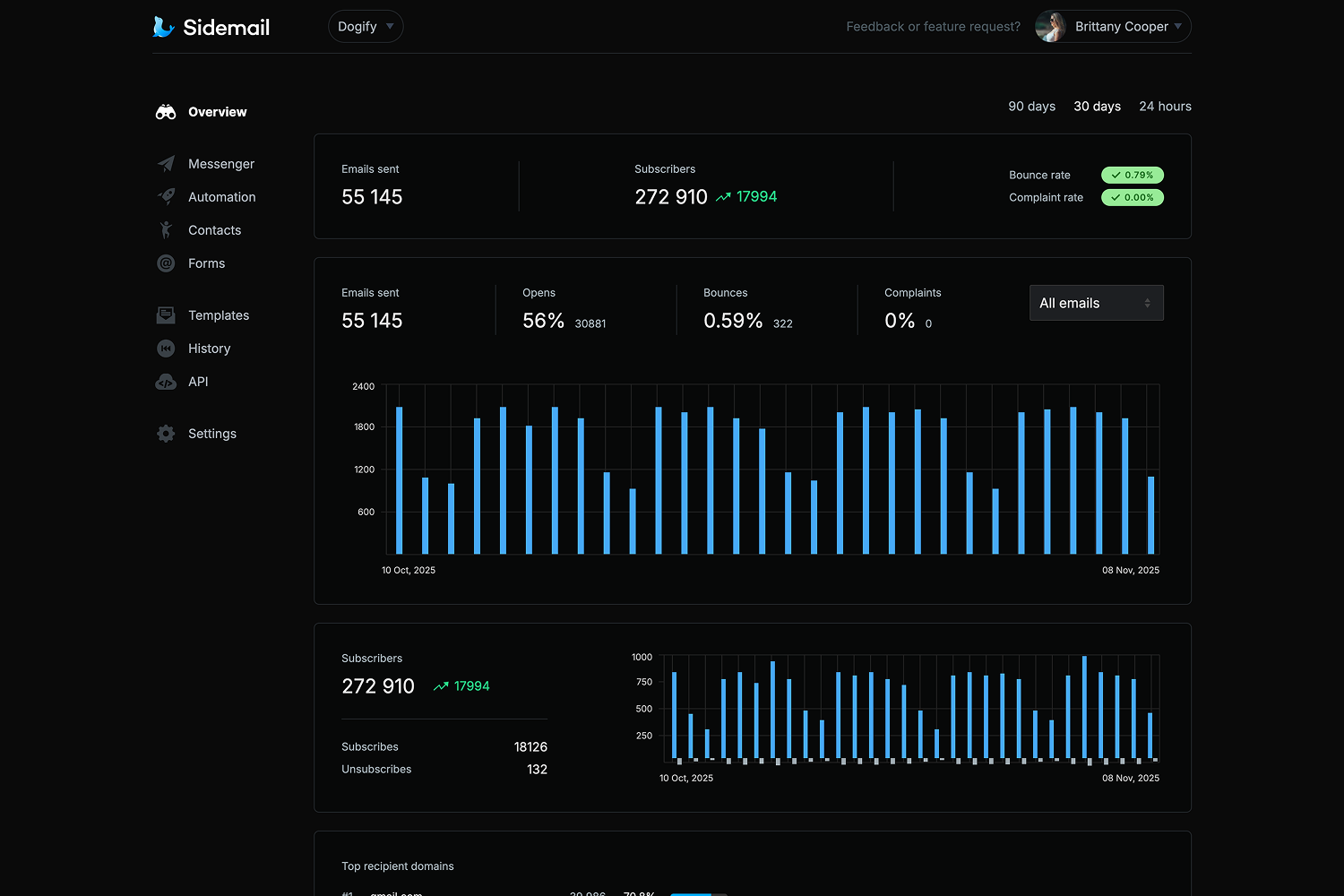
Sidemail has everything you need for delivering transactional and marketing emails, setting up email automation, collecting your subscribers' information, and managing your contacts.
Get started today
Ready for hassle‑free email delivery? With Sidemail’s markdown emails and API, you’ll be sending reliably in minutes.
Start free trialFAQs
What markdown elements and features are supported in Sidemail emails?
Sidemail supports a broad range of Markdown syntax for formatting emails. You can use headings, bold and italic text, links, images, ordered and unordered lists, tables, inline code, fenced code blocks, and horizontal rules. These will all be converted to the appropriate HTML in the final email. Additionally, you also can prefix link text with $btn. to turn it into a styled button automatically. Also, you can include dynamic data like {name}. You can learn more in API docs.
Will my markdown email look good in all email clients (Gmail, Outlook, desktop/mobile, etc.)?
Yes. One of Sidemail’s core benefits is that it outputs standardized HTML that has been tested across various email clients and devices. So your email will be pixel-perfect everywhere.
Can I use markdown emails alongside Sidemail’s templates or no‑code editor?
Sure! You can mix workflows freely – send some emails as markdown, and create others in the no‑code editor or import some from Sidemail’s pre‑made templates. For each message, use whichever approach fits your needs.
How to get started?
Getting started is quick. First, create a Sidemail account (you get a free trial with full features). Inside the dashboard, create a project and add your sending domain. Then, customize the email template design – upload your company logo, customize colors and fonts, and enable dark mode if you wish. Most people complete the integration in under 30 minutes. And if you’d ever need a helping hand, you can reach out to us anytime and you’ll get personal support directly from the engineers who built the platform.